Books & libraries
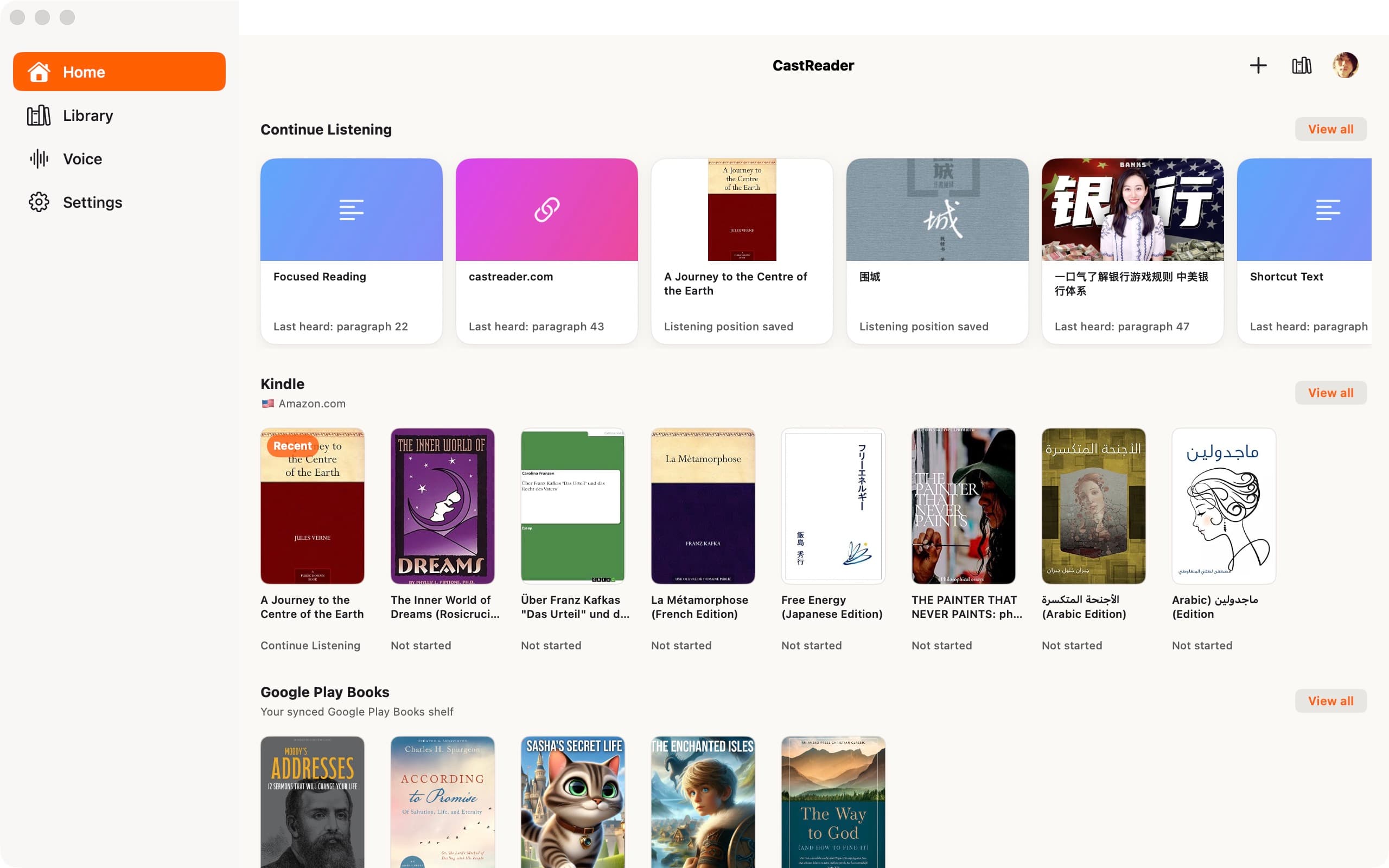
From Kindle to online libraries. Connect a shelf or listen in the original web reader.
Shelf connections · Web readers
8 sources
CastReader reads webpages, PDFs, Kindle books and AI answers with synced highlighting. When a passage is difficult, Read & Explain talks you through it and points back to the source.
iPhone, iPad, Android phones and tablets · Available now
YOUR READING, CONNECTED
Books, long reads, documents and AI answers. Choose a source to see how CastReader reads and explains it.
4 categories · Scroll to find your reading sources
From Kindle to online libraries. Connect a shelf or listen in the original web reader.
Shelf connections · Web readers
8 sources
From daily news to newsletters and long reads. Listen in your browser, or import supported subscriptions on mobile.
Article imports · Browser extension
16 sources · Scroll for more
 Medium
 Substack
 The Atlantic
 The New Yorker
 BBC NewsWeb article
 CNNWeb article
 The New York TimesWeb article
 The GuardianWeb article
 ReutersWeb article
 AP NewsWeb article
 The Washington PostWeb article
 The Wall Street JournalWeb article
 BloombergWeb article
 Financial TimesWeb article
 The EconomistWeb article
 NPRWeb article
Work documents, long emails and files from your drive. Open the content to read, listen and understand.
Browser extension · File reading
6 sources
Listen to an AI answer or work through its difficult parts, with the conversation still in view.
Browser extension
6 sources
Connections, reading and explanations vary by platform. iOS previews are still in testing. See each guide for device, version and content-access details.
See Read & Explain in actionKeep the original text in view while CastReader reads aloud and highlights your place. Use Read & Explain when a passage needs a closer look.
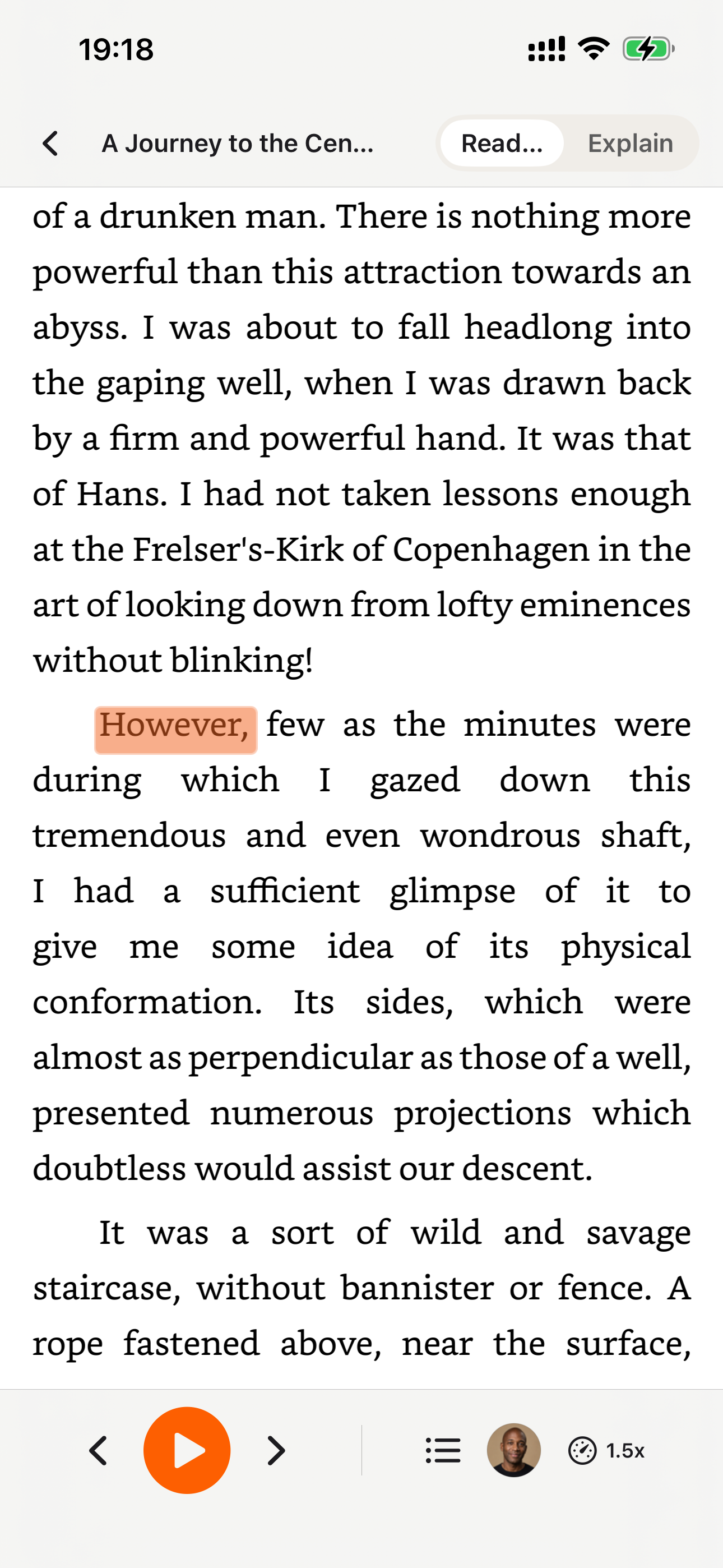
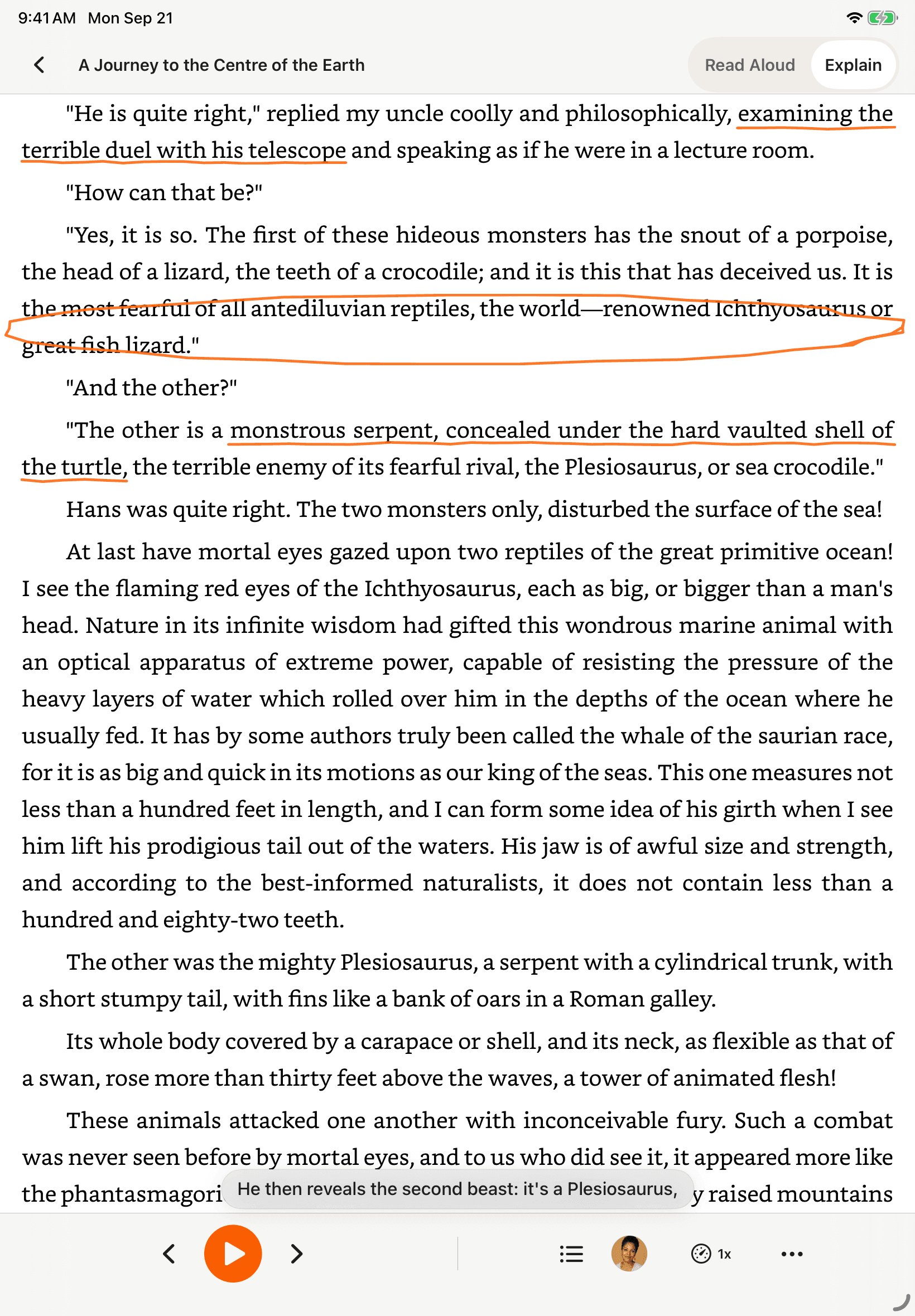
CastReader is available on iPad and Android tablets, with layouts adapted for a larger reading screen.
Preview real samples, compare language and availability status, and choose a voice for books, study, PDFs, or webpages before opening CastReader.
Every voice shown in the public library has a real sample.
Compare voices for books, study, documents, and languages.
Language status and Free or Pro access stay clearly labeled.
CastReader Voice Hub
Free · Pro
English voices
Real samples available
Chinese voices
Real samples available
More languages
Browse availability
Sign in to create multiple private voices and hear each server-set fixed preview. Pro can apply them to Read Aloud and Explain in PDF, EPUB, Word, or TXT files for 120 minutes per membership month.
Record a clean sample of your own voice
Confirm ownership or explicit authorization
Use it in Read Aloud and Explain with Pro
Private voice cloning
The document stays local
The original file stays on your device. CastReader parses it in your browser; cloned-voice playback sends the paragraph being spoken, not the file.
For developers · Voice API
CastReader Voice API adds private voice cloning and text to speech in 10 languages to your application. Submit short text through REST, retrieve MP3 or WAV, and pay for successful generation.
Developer preview · Self-service with verified identity, no manual approval · 3,000 trial characters per account (30 days; daily limits apply) · API billing is separate from reading plans
{
  "model": "clone-v1",
  "voice_id": "YOUR_VOICE_ID",
  "text": "Your next chapter starts here.",
  "language": "en",
  "output_format": "mp3"
}Start with your problem
Choose the situation that brought you here. We will take you to the shortest working path instead of making you sort through every feature.
A plain reader pronounces a dense or foreign paragraph and leaves you just as lost. Quickread is different: it works out what the passage means and talks you through it in the language you know best, while a pen circles, underlines, and highlights the key points in the original. Eyes on the page, ears on the explanation — like a tutor reading along beside you, so even a thick research paper finally clicks.
Free covers everyday reading. Pro is for heavy readers — whole books, long PDFs, premium voices, and unlimited explains.
Cancel anytime · Secure payment by Stripe
El interés compuesto significa que los intereses que ganas también generan más intereses con el tiempo. Este efecto bola de nieve convierte pequeños ahorros en una gran fortuna.
Thecoreconceptonthispage:compoundinterest.
A page in a language you barely read, explained in yours — with the key points marked right on the original. That is Quickread.
Reading a page in another language? Quickread explains it in the language you know — same pen, same mark-up.
Whether you learn differently, study intensively, or simply prefer listening — CastReader adapts to your reading style.
“Audio paired with visual highlighting keeps you focused and reduces reading fatigue. Follow along at your own pace with synchronized paragraph tracking.”
“Listen to textbooks, papers, and lecture notes while commuting or exercising. Absorb more material in less time with dual-channel learning.”
“Catch up on industry reports, newsletters, and long-form analysis during your commute. Stay informed without screen fatigue.”
“German now works across voice selection, word-level highlighting, auto-scroll, Kindle OCR, and the extension interface. Use Read Aloud for the original German or Read & Explain for guidance in your preferred language.”
Also Great For
See what our users say about CastReader
Finally something that works on Kindle Cloud Reader. I've tried Speechify, Read Aloud, NaturalReader — none of them can read my Kindle books. This one actually does it. Game changer for my commute.

Kindle Power User
I use this to listen to English articles while reading along. The paragraph highlighting helps me follow the text. Way better than the built-in browser TTS voices.

Language Learner
I use it to listen to research papers on arXiv and class readings. The fact that it's free to use is amazing — the natural voices alone got me hooked. Way better than extensions that cap you at 30 minutes.

Graduate Student
As someone with dyslexia, this extension is a lifesaver. The highlighting keeps me on track and the AI voice is much more natural than the robotic screen readers I've used before.

Dyslexia Advocate
Switched from NaturalReader because of the monthly limit. CastReader's free tier goes further and the voice quality is comparable. Plus it works on sites NaturalReader can't handle.

Former NaturalReader User
Straight answers about the CastReader browser extension, iPhone, iPad and Android phones and tablets apps, accounts, Read Aloud, and Read & Explain.
Have more questions? Contact us
Start free without a login on supported web pages and languages. Install the extension, test the page you need, and check current allowances on the pricing page.