“This is 1 of the best TTS and its smooth. If this is truly free i'll keep this 100%. Every other TTS says its free but has a secret. They interrupt or they just say better ai voices pay. But i like this voice. I've tried loads and this is 1 of the best ones that actually says free.”
PDF to Speech, Online and Instant
Listen anywhere — browser, phone, or desktop.
CastReader works on every device. Pick yours and start listening in 30 seconds.
★★★★★ 4.7 · Free to start · No login · Optional Pro
Why People Use CastReader to Turn PDFs Into Speech Online
A real layout-aware reader that lives in your browser — not a thin wrapper around a broken text dump.
Nothing to Install
Open a Tab and It Just Works
There is no installer, no plugin, and no sign-up wall between you and a spoken PDF. This page is the whole tool. It runs on a Chromebook in a library, a locked-down work laptop, a tablet, or a phone — anywhere a browser opens, your PDF can talk.
Reads in the Right Order
Two Columns Don't Confuse It
A PDF is ink coordinates, not paragraphs. Naive online readers grab text in storage order and end up reading the left column and right column interleaved word-salad. CastReader detects the column layout first, then speaks left column before right, body before footnotes — the way a person reads it.
Clean Narration
No Page Numbers Read Out Loud
Running heads, page numbers, footers, watermarks, and figure captions get stripped before the voice ever sees them. You hear the actual content of the document, not 'page forty-seven' repeated every paragraph the way a system voice would do it.
Any Language Voice
French PDF? Japanese PDF? Just Paste It
Drop in a document in any of 40+ languages and CastReader auto-detects it and picks a native-sounding voice. It's a quiet favorite of language learners, who keep the PDF open on screen and listen to correct pronunciation as they read along.
Reading a PDF Out Loud, Online, Without the Usual Pain
Most people who search for a way to turn a PDF into speech online have already been burned once. They tried a 'free' site that pasted their document into a box, played twenty seconds of a robotic voice, and then asked for a credit card. Or they tried their browser's built-in reader and discovered it reads the page numbers, the headers, and the two columns scrambled together. The basic problem is that a PDF is a visual format — it records where ink sits on a page, not what order a human reads it in. Speaking it correctly is genuinely harder than it looks, and most online tools simply don't do the hard part.
CastReader is built to do the hard part in the browser. When you drop a PDF in, it first works out the page geometry: is this one column, two columns, or a mixed layout with figures and sidebars? Then it orders the text the way a reader would — top to bottom within a column, left column before right, body text before footnotes — and removes the furniture that should never be spoken aloud: running heads, page numbers, footers, and figure labels. Only then does the cleaned, ordered text reach the voice. The whole thing happens after you click, with nothing installed on your machine.
The voice itself matters as much as the extraction. CastReader uses Kokoro, a neural text-to-speech model good enough to keep listening to for an hour without fatigue. It handles sentence rhythm, pauses, and emphasis instead of flattening everything into the monotone you remember from screen readers a decade ago. If you only need a paragraph spoken, switch to the Paste Text tab, drop in the passage, and hear it immediately. If you want the whole document, upload the file and let it process.
Who actually reads PDFs out loud online? A surprising range of people. Students give their eyes a break by listening to a chapter instead of staring at it for the fifth hour. Commuters turn a research paper into something they can absorb on the train. People with dyslexia or low vision rely on a clean spoken version that doesn't trip over layout. Professionals skim a long report by ear while doing something else with their hands. The common thread is that reading on a screen has a ceiling, and listening pushes past it.
It's worth being clear about cost, because the category is full of bait. NaturalReader gates PDF upload behind a roughly $60-a-year plan. Speechify runs about $139 a year. Adobe Acrobat's 'Read Aloud' is free but uses the old system voice and falls apart on multi-column pages. CastReader is free to use with no signup to get started; if you want premium voices, more listening hours, and AI document analysis, CastReader Pro is the optional upgrade. A two-page handout and a five-hundred-page textbook are handled the same way.
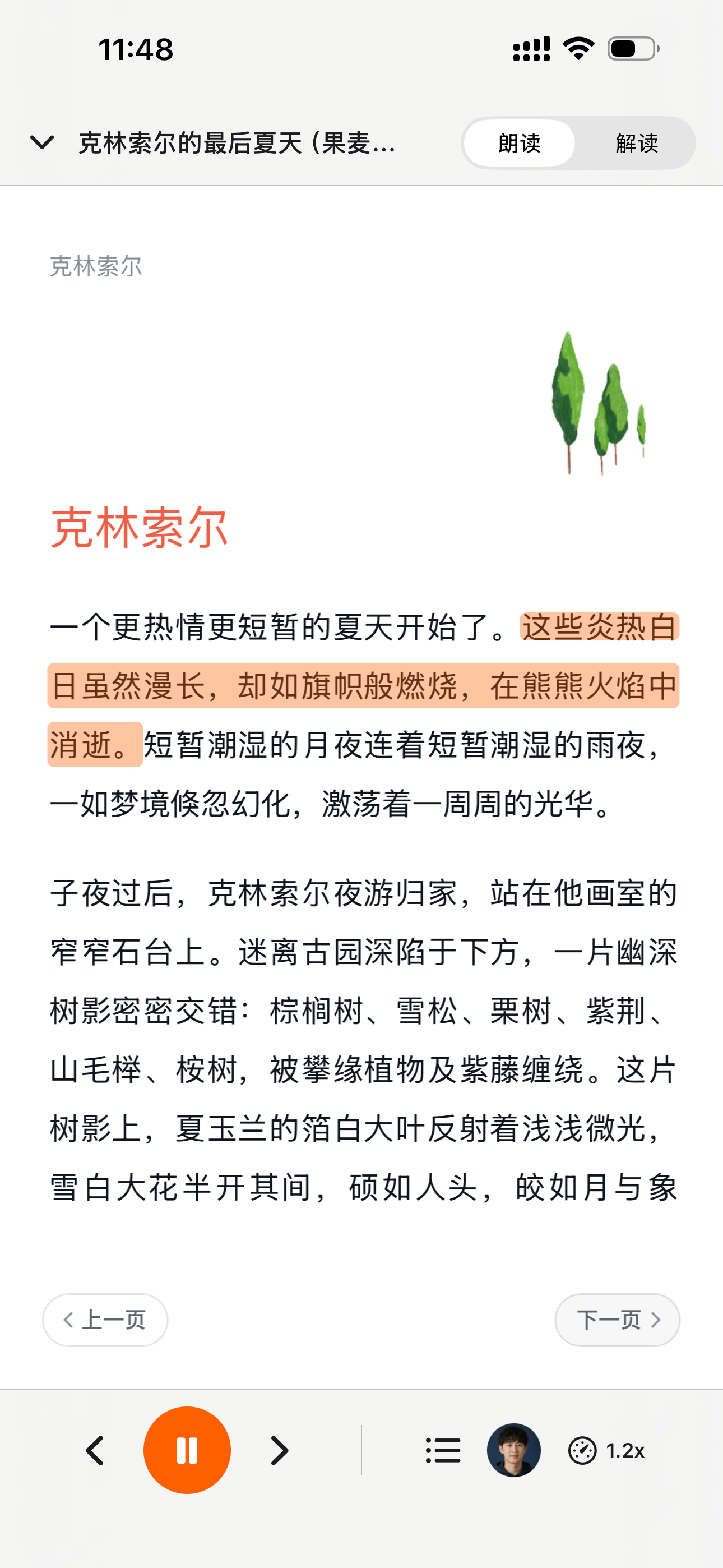
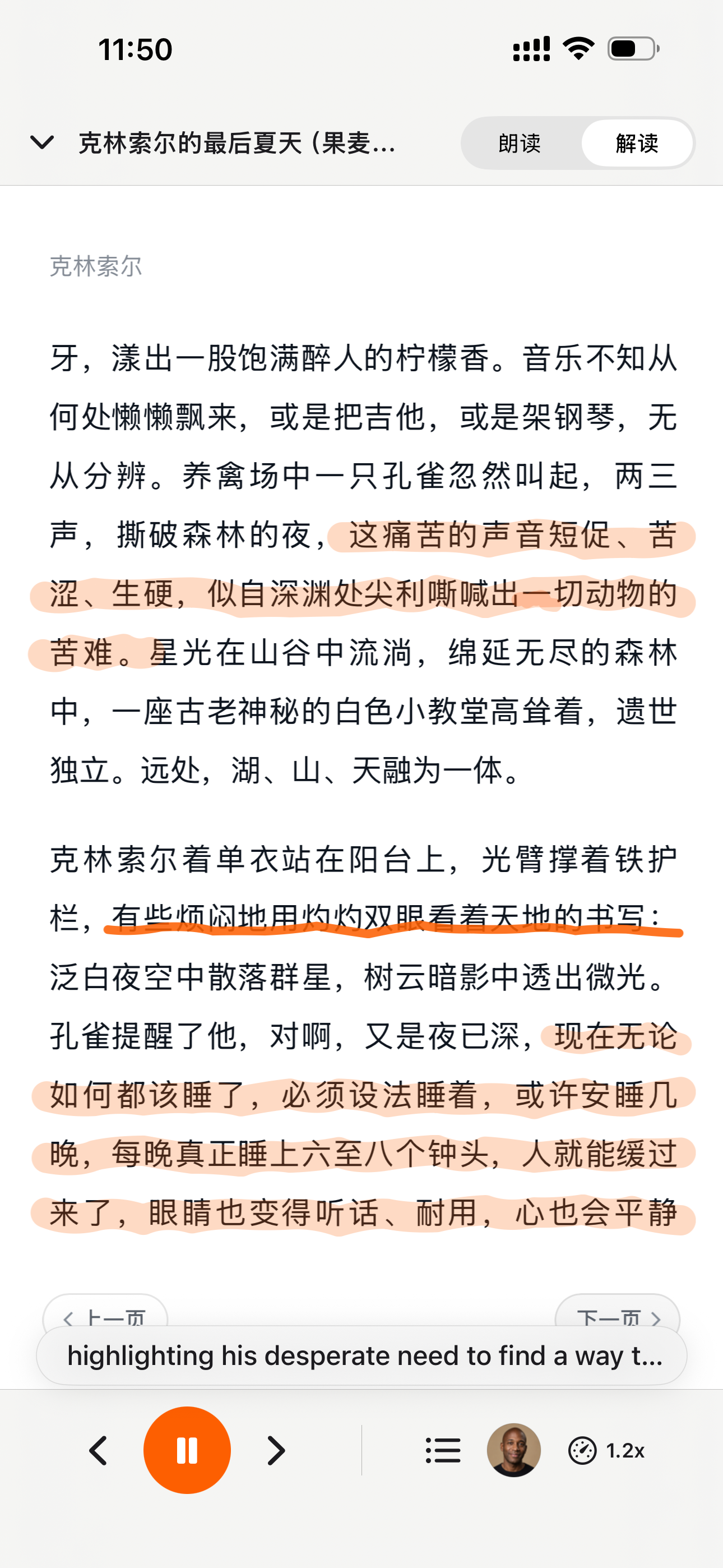
For PDFs you read regularly inside the browser — arXiv papers, government filings, course readers, company reports — the free CastReader Chrome extension is the fastest path. Instead of saving the file and uploading it here, it reads the PDF directly in the open tab, highlights each line as it speaks, and lets you control speed. One click, instant playback, no round trip through your downloads folder.
PDF to Speech Online — FAQ
Quick answers about reading PDFs aloud in your browser
Is this PDF to speech tool actually free and online?+
Yes. It runs entirely in your browser — there is nothing to download and no account to create to get started. Drop in a PDF or paste text, choose a voice, and listen. The free tier covers everyday reading; CastReader Pro is an optional upgrade for premium voices, more listening hours, and AI document analysis. Many competing sites only play a short preview before asking you to pay.
Why does it read two-column PDFs correctly when other online readers don't?+
Most online readers grab text in the PDF's internal storage order, which scrambles two-column pages. CastReader detects the column layout first and then reads left column before right, body before footnotes — the way a person reads a page. It also strips headers, footers, page numbers, and figure captions so only the real content is spoken.
Do I have to install anything or sign up?+
No. This page is the entire tool. It works on any device with a browser, including Chromebooks, library and school computers, and locked-down work laptops where you can't install software. No signup is required to start reading.
Can I just paste a paragraph instead of uploading the whole PDF?+
Yes. Switch to the Paste Text tab, drop in any passage you copied from a PDF, pick a voice and speed, and it speaks immediately. This is the fastest option when you only need a section read aloud.
Can I download the speech as an audio file?+
Yes. After the audio is generated you can play it in the browser or download it as an MP3 to listen offline on your phone, in the car, or in any audio player.
Does it work with PDFs in other languages?+
Yes — over 40 languages. CastReader auto-detects the language of your PDF and selects a native-sounding voice. Language learners often keep the PDF on screen and listen along for pronunciation while they read.
Is reading a PDF online better than my browser's built-in Read Aloud?+
For most documents, clearly yes. Built-in browser and system voices read page numbers and headers aloud, can't handle multi-column layouts, and sound robotic. CastReader uses neural AI voices, detects layout, filters out noise, and lets you download the result as MP3.
Is my PDF kept private?+
Yes. Your file is processed only to extract text and generate audio, and the result is available only to you. We don't sell your documents or use them for training. With no required account, there's no profile tracking your reading either.
A PDF reading out of order? Send it to our debug team
More Ways to Listen to Documents
PDF to Audiobook
Convert a whole PDF into a downloadable audiobook — multi-column, scans, math
Listen to PDF in Browser
Read PDFs open in Chrome directly, with line-by-line highlighting
Text to Speech Online
Paste any text and hear it spoken in a natural AI voice — free, no signup
Free Text to Speech
The classic free TTS tool — paste text, pick a voice, listen
为什么 TTS 在 2026 年值得做
硬数据 —— 不是 vibe —— 来自权威来源
effect size 0.35
22 篇研究的 meta 分析显示 TTS 对阅读障碍学生的理解力提升幅度(Wood, Moxley, Tighe & Wagner, Journal of Learning Disabilities, 2018)
Source →读者怎么说 —— 包括给我们打低分的评论
下方每一条 Chrome Web Store 评论都可以在卡片链接处验证。我们不藏负面反馈 —— 我们 24 小时内回复。
“Works perfectly on vivaldi. One suggestion though. I wish it had a play button appear next to a paragraph when we hover over it. Just like in the case of speechify.”
“Extremely user friendly short keys. Placed forward backward and speed up down as Natural as it could be. Voices are great and smooth. I would recommend it over many hyped products.”
“At the very least it's better than many paid TTS models. Still not as good as ElevenReader or LAP, but maybe the best free model for TTS.”
“So glad I can finally switch voices! The default was fine but I found one I actually enjoy listening to for hours. Small thing, huge difference.”
“Best one i found, user friendly, and great voice over.”
“ChatGPT's long answers are finally listenable. Let it generate while I listen — doubles my productivity. Love the inline button next to each response.”
“I tried using this add-on to listen to an ebook on the O'Reilly learning platform, and it works smoothly. However, it always restarts from the first paragraph whenever I scroll or select a different paragraph. Please consider adding a bookmark or checkpoint feature so users can mark where the reading should begin.”
↪ Founder reply
CastReader 创始人 Yan Xu 48 小时内回复:承认问题,下个版本上线了 bookmark 功能。这条评论的反馈直接推动了 v1.2 路线图。
“Need to highlight text and select it.”
“Hard to select text.”
↪ Founder reply
CastReader 创始人 Yan Xu 24 小时内回复:道歉、询问发生的网站/浏览器、提供键盘快捷键作为绕过方案、留下 support@castreader.ai 直接支持邮箱。
近期更新
我们持续测试、改写、上线。每条更新都带真实日期。
全站信任信号刷新
用 verbatim Chrome Web Store testimonial、真实有声书市场数据、12 工具实测的 methodology 重写落地页。每条主张都有来源链接。
发送到手机可靠性提升
Telegram 音频流现在能稳定自动翻页,覆盖 Kindle Cloud Reader 和 Apple Books。内部测试显示会话中断减少约 70%。
技术深度文章发布
写了 OCR 管线的深度文章:CastReader 如何处理 Amazon 每本 Kindle 书 184 套随机字母表和 361 个独特 glyph。发表在 dev.to。
CastReader for Mac 发布
原生 macOS 应用,朗读 Kindle for Mac,词级高亮。浮窗播放器 + 系统级快捷键。不需要浏览器。
登上 Product Hunt
Daily 榜 #10,99 upvotes,4 条社区评论推动了 v1.2 路线图。
语音质量升级 —— Kokoro AI
从旧 TTS 引擎切换到 Kokoro 神经网络语音。用户评论从 'usable but robotic' 转为 'enjoy listening for hours'(来自 patrick chiang 的 Chrome Web Store 评论原话)。
提取可靠性首轮提升
英文 Kindle 书的 OCR 成功率从 78% 提升到 89%。加入了多栏页面检测(学术 PDF 适用)。
为什么有这个产品
我做 CastReader 是因为我有几百本 Kindle 书,想在晨跑时听它们,但不想为每本再买 Audible 版。技术问题 —— Amazon Cloud Reader 的字体加密 —— 最后用 OCR 解决了。产品问题 —— 让它在手机、桌面、40+ 语言上真正好用 —— 花了两年迭代。我们是个小团队。我亲自回复每一条 Chrome Web Store 评论(上方 testimonials 里有证明 —— 包括 3 星和 1 星的)。如果有什么坏了或缺失,邮件 support@castreader.ai。
—— Yan Xu, 创始人
最近审阅: · CastReader 团队 —— 基于 2025 测试数据
Read PDFs out loud on every device — browser, phone, or desktop.
Free CastReader works on Chrome / Edge / iOS / Android / Mac. Turn any PDF into speech online, no install required.
★★★★★ 4.7 · Free to start · No login · Optional Pro