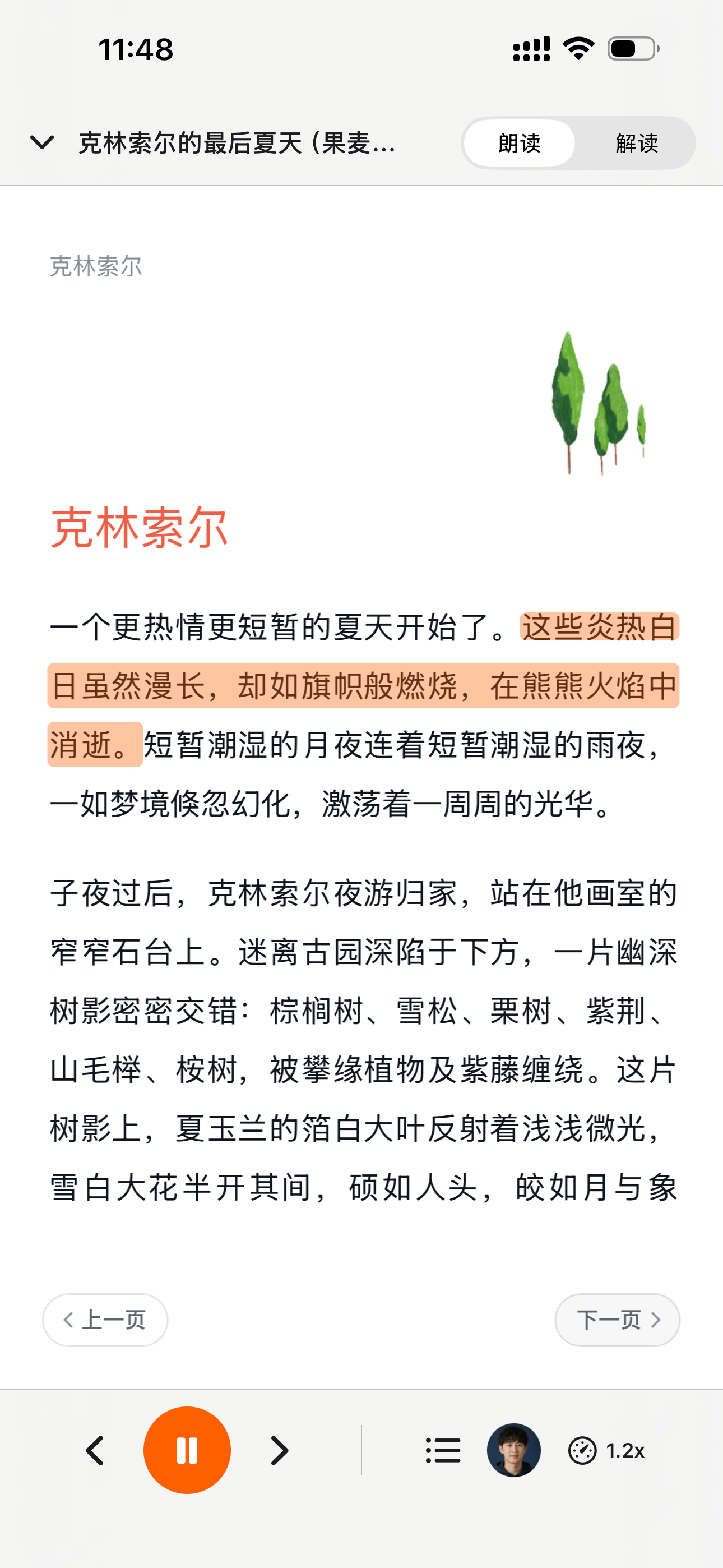
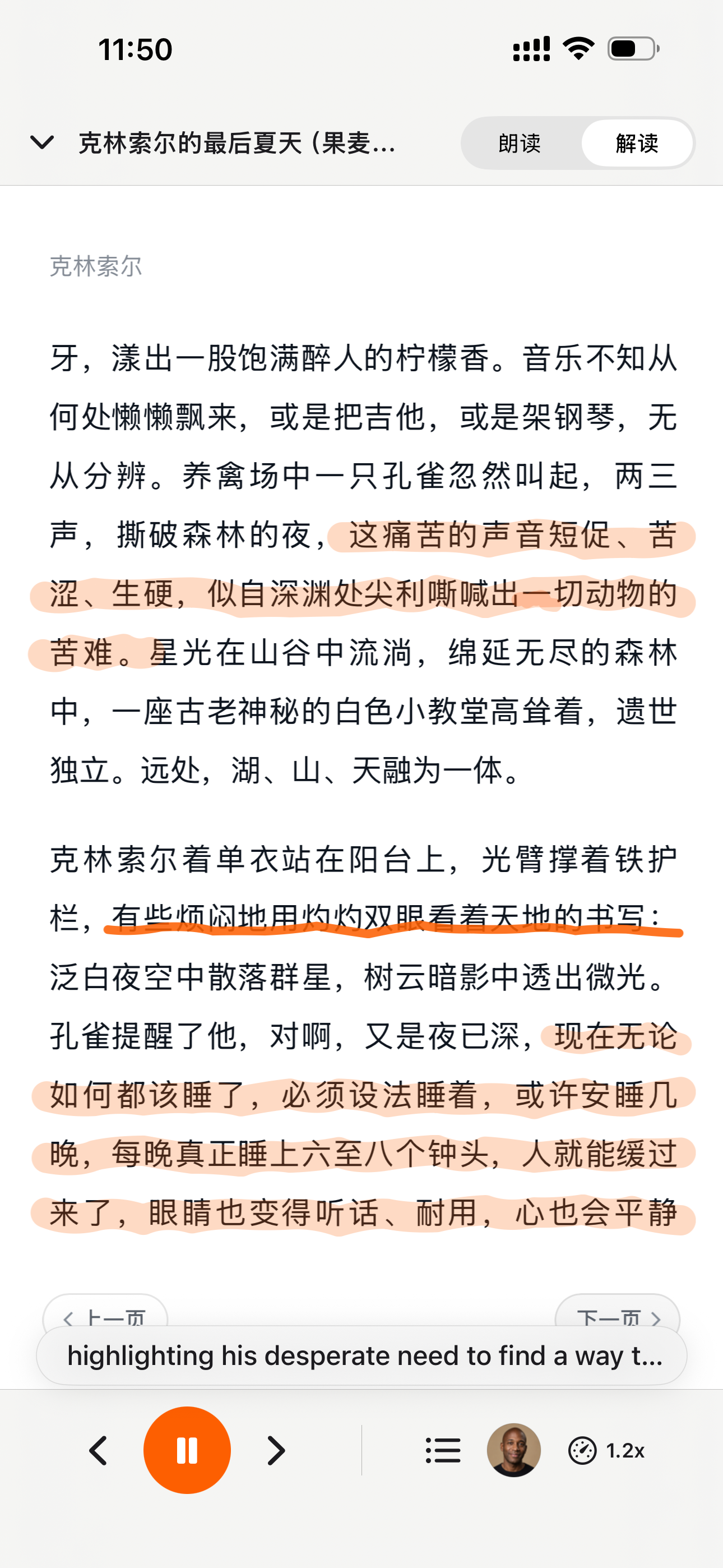
“This is 1 of the best TTS and its smooth. If this is truly free i'll keep this 100%. Every other TTS says its free but has a secret. They interrupt or they just say better ai voices pay. But i like this voice. I've tried loads and this is 1 of the best ones that actually says free.”
Read the Video Instead of Watching It
A two-hour lecture is thirty minutes of reading. CastReader pulls the video's public captions into real paragraphs you can read, select and copy — and reads them aloud while highlighting the line, so you can jump back to that exact moment in YouTube whenever something matters.
To get a usable transcript of a YouTube video on your phone, open the video in the YouTube app, tap Share, and choose CastReader. If the video has public captions, its transcript opens as paragraphs you can read, select and copy — and CastReader can read it aloud while highlighting the current line, with a tap to return to YouTube at that timestamp. You can also paste a youtube.com/watch, youtu.be or /shorts link directly. CastReader is available for iPhone and iPad on the App Store and for Android on Google Play. Videos with no captions cannot be read this way, because the text comes from the caption track rather than from transcribing the audio.
Built for Getting Through the Video, Not Around It
The difference shows up on long, dense videos — lectures, interviews, conference talks
Caption Lines Merged Into Paragraphs
YouTube's own transcript panel gives you one timestamped line per caption cue. That is fine for jumping around and painful to read as prose. CastReader merges the cues back into paragraphs, so a talk reads like an article.
Ordinary, Selectable Text
The transcript is normal text, so selecting and copying works the way it does anywhere else — useful when a sentence is worth keeping. (The YouTube app blocks selection in its own transcript panel; if extracting text is your main goal rather than reading, the copy guide covers every route.)
Read Aloud With the Line Highlighted
YouTube's transcript can be read but not played. CastReader reads it in a natural voice at 0.75×–3× while highlighting where it is, so you can look away and still know your place. Speeds above 1.25× are a Pro feature.
One Tap Back to That Moment
When a line matters — a number, a claim, a demo you need to see — jump straight back to YouTube at that timestamp. Reading the transcript never cuts you off from the video.
Share From YouTube, Start Listening
No copying links between apps. In YouTube's share panel, choose CastReader; if public captions exist, the transcript opens and listening starts. Pasting a link works too — watch, youtu.be and Shorts URLs are all accepted.
History, Progress and Offline
Transcripts you have opened stay in your listening history with how far you got, and are cached so you can pick them up without a connection.
Three Steps
- 1
Tap Share in YouTube
On the video you want, open YouTube's share panel — the same one you use to send a link to a friend.
- 2
Choose CastReader
The transcript opens as paragraphs. If the video has no public captions, you are told immediately rather than left waiting.
- 3
Read, listen, or both
Scroll and copy what you need, or press play and follow the highlight. Tap any timestamp to return to the video at that moment.
Why a Video Transcript Is Worth More Than the Video
A recorded talk is a strange artifact: an hour of someone's thinking, locked into a format you can only consume at their pace. You cannot skim it. You cannot search it. Finding the one sentence you half-remember means dragging the scrubber back and forth until you stumble onto it. The transcript is the same content in a form that answers to you instead.
YouTube knows this, which is why the transcript panel exists — under the video on desktop, and on mobile behind the video title, inside the expanded description, down past everything else. It is genuinely useful for jumping to a moment. It is not built for reading — and on phones it is not built for copying either, since selection is blocked in that panel (a separate problem with its own workarounds).
The other thing the panel cannot do is play. That sounds odd for a video app, until you notice what people actually want: not the original audio — YouTube can already keep that going — but the words, read at their own speed, with their place kept. A lecture at 2× with the current line highlighted is a different activity from watching at 2×. You can look away, come back, and know where you are.
CastReader takes the caption track and does three things to it. The cues get merged into paragraphs, because a wall of one-line timestamps is not prose. The text stays selectable, so quoting a source takes seconds rather than the twenty to forty minutes people report spending on manual mobile copying. And every paragraph keeps its timestamp, so hearing something that needs checking means one tap back to the video at that exact second.
The honest limitation is the caption track itself. Where a creator uploaded real captions, the text has punctuation and speaker turns and reads well. Where only auto-generated captions exist, there is no punctuation and no speaker labels — a single-presenter lecture survives that, a fast four-person podcast does not. CastReader always prefers a human-written track when the video has one, in your reading language first, then English, and only falls back to auto-generated captions when there is no other choice.
Where there are no captions at all, nothing can be done, and it is better to say so than to spin. The text comes from the caption track, not from listening to the audio — this is a caption reader, not a transcription service. Before you try, you can check in ten seconds: open the video, tap the title to expand the description, and look for "Show transcript". If it is not there, no caption-based tool will help you.
Two more boundaries worth stating plainly, because the neighbourhood is full of tools that blur them. This does not download anything: no video file, no audio file, no MP3. Speech is generated from caption text, and the video and audio streams are never played or retained. And it only reaches public videos — anything behind sign-in, age verification, membership or a regional lock stays out of reach, by design rather than by oversight.
Who this ends up mattering for: students working through a semester of recorded lectures, researchers pulling quotes out of conference talks and interviews, anyone learning a language who follows written text more easily than speech, and people who simply have more videos saved than hours to watch them. For all of them the video was never the point — the content was.
Frequently Asked Questions
The things worth knowing before you install
How do I get a YouTube transcript on my phone?
In the YouTube app, open the video, tap Share, and choose CastReader. The transcript opens as paragraphs you can read, select and copy. You can also paste a youtube.com/watch, youtu.be or /shorts link into CastReader directly.
Why can't I copy the transcript in the YouTube app?
Because the YouTube app disables selection in its transcript panel. Here the transcript is ordinary text, so copying works normally. If getting the text out is the whole point of your visit, the copy guide compares the routes in detail.
Does this work if the video has no captions?
No. The text comes from the video's caption track, not from transcribing audio, so a video with no captions has nothing to read. To check before trying: open the video, tap the title to expand the description, and look for "Show transcript".
Are auto-generated captions good enough?
It depends on the video. Auto captions have no punctuation and no speaker labels. A single-speaker lecture usually still reads and listens fine; a fast multi-person podcast becomes one unbroken sentence. CastReader prefers a human-written caption track whenever the video has one.
Can it play the video's original audio in the background?
No, and that is a different product. CastReader does not play, download or retain YouTube video or audio streams — speech is generated from the caption text. If you want the original soundtrack playing with the screen off, that is YouTube Premium.
Is this a YouTube to MP3 converter?
No. Nothing is extracted from the video or audio stream and no file is produced. CastReader reads caption text aloud in the app.
Does it work with Shorts?
Yes, provided the Short has captions — /shorts/ links are handled like any other video. Many Shorts carry auto-generated captions only.
What about live streams?
Live streams and premieres are not supported: the caption track is still being written while the stream runs, so there is no finished transcript. Once the archived version is available, share that link instead.
Can I jump back to the video?
Yes. Every paragraph keeps its timestamp, so you can return to YouTube at the exact moment you are reading or hearing — useful when a claim needs checking or a demo needs watching.
Can I use it offline?
Transcripts you have already opened are cached, so you can continue reading and listening without a connection. Opening a new video needs the network.
Is it free?
Reading and listening to transcripts is free to start. Playback speeds above 1.25× are a CastReader Pro feature, as elsewhere in the app.
Which videos are supported?
Public videos with captions. Videos requiring sign-in, age verification, membership, regional access or private access cannot be read.
Also Try
Copy a YouTube Transcript
Selection is blocked in the YouTube app — three routes around it, compared
No Captions on the Video?
How to confirm it in ten seconds, why it happens, what is left to try
Listen to Kindle Books
Read-aloud for the books already on your Kindle shelf
PDF to Audiobook
Two-column papers read in the right order, in your browser
Listen to arXiv
Research papers read aloud while you follow the figures
为什么 TTS 在 2026 年值得做
硬数据 —— 不是 vibe —— 来自权威来源
effect size 0.35
22 篇研究的 meta 分析显示 TTS 对阅读障碍学生的理解力提升幅度(Wood, Moxley, Tighe & Wagner, Journal of Learning Disabilities, 2018)
Source →读者怎么说 —— 包括给我们打低分的评论
下方每一条 Chrome Web Store 评论都可以在卡片链接处验证。我们不藏负面反馈 —— 我们 24 小时内回复。
“Works perfectly on vivaldi. One suggestion though. I wish it had a play button appear next to a paragraph when we hover over it. Just like in the case of speechify.”
“Extremely user friendly short keys. Placed forward backward and speed up down as Natural as it could be. Voices are great and smooth. I would recommend it over many hyped products.”
“At the very least it's better than many paid TTS models. Still not as good as ElevenReader or LAP, but maybe the best free model for TTS.”
“So glad I can finally switch voices! The default was fine but I found one I actually enjoy listening to for hours. Small thing, huge difference.”
“Best one i found, user friendly, and great voice over.”
“ChatGPT's long answers are finally listenable. Let it generate while I listen — doubles my productivity. Love the inline button next to each response.”
“I tried using this add-on to listen to an ebook on the O'Reilly learning platform, and it works smoothly. However, it always restarts from the first paragraph whenever I scroll or select a different paragraph. Please consider adding a bookmark or checkpoint feature so users can mark where the reading should begin.”
↪ Founder reply
CastReader 创始人 Yan Xu 48 小时内回复:承认问题,下个版本上线了 bookmark 功能。这条评论的反馈直接推动了 v1.2 路线图。
“Need to highlight text and select it.”
“Hard to select text.”
↪ Founder reply
CastReader 创始人 Yan Xu 24 小时内回复:道歉、询问发生的网站/浏览器、提供键盘快捷键作为绕过方案、留下 support@castreader.com 直接支持邮箱。
近期更新
我们持续测试、改写、上线。每条更新都带真实日期。
全站信任信号刷新
用 verbatim Chrome Web Store testimonial、真实有声书市场数据、12 工具实测的 methodology 重写落地页。每条主张都有来源链接。
原生手机听读
CastReader 已提供原生 iPhone 和 Android App;Android 版可直接从 Google Play 下载。
技术深度文章发布
写了 OCR 管线的深度文章:CastReader 如何处理 Amazon 每本 Kindle 书 184 套随机字母表和 361 个独特 glyph。发表在 dev.to。
新增手机端 Kindle Read Aloud 页面
手机 App 的书架同步、Read Aloud、同步高亮、自动滚动、后台播放和进度续听,已经拆到独立落地页。
登上 Product Hunt
Daily 榜 #10,99 upvotes,4 条社区评论推动了 v1.2 路线图。
语音质量升级 —— Kokoro AI
从旧 TTS 引擎切换到 Kokoro 神经网络语音。用户评论从 'usable but robotic' 转为 'enjoy listening for hours'(来自 patrick chiang 的 Chrome Web Store 评论原话)。
提取可靠性首轮提升
英文 Kindle 书的 OCR 成功率从 78% 提升到 89%。加入了多栏页面检测(学术 PDF 适用)。
为什么有这个产品
我做 CastReader 是因为我有几百本 Kindle 书,想在晨跑时听它们,但不想为每本再买 Audible 版。技术问题 —— Amazon Cloud Reader 的字体加密 —— 最后用 OCR 解决了。产品问题 —— 让它在手机、桌面、9 种语言上真正好用 —— 花了两年迭代。我们是个小团队。我亲自回复每一条 Chrome Web Store 评论(上方 testimonials 里有证明 —— 包括 3 星和 1 星的)。如果有什么坏了或缺失,邮件 support@castreader.com。
—— Yan Xu, 创始人
最近审阅: · CastReader 团队 —— 基于 2025 测试数据
Stop Scrubbing, Start Reading
Share a video from YouTube and have its transcript in front of you — readable, copyable, and one tap from the moment it came from. Free to start on iPhone, iPad and Android.
Browser extensions
For local PDF, DOCX, TXT, Markdown, and images, plus supported webpages and browser-based readers. Local EPUB import is not available.
Mobile apps
For DRM-free EPUBs and mobile reading on iPhone, iPad, and Android.
Official App Store and Google Play downloads · Chrome, Edge, and Firefox extensions
你手上这个视频,能不能听
按你遇到的情况找一行。不行的情况也写清楚了原因,省得你白试。
普通公开视频,作者自己上传了字幕
可以人工字幕带标点和说话人切换,文本能切成真正的段落,读起来是顺的。
怎么办:粘贴链接,或在 YouTube 里点分享选 CastReader。
只有自动生成字幕(ASR)
看情况自动字幕没有标点、不分说话人。讲座类通常还能听,多人快速对谈会变成一整句不断句的话。CastReader 有人工字幕时一定优先用人工,没有才回退到自动。
怎么办:讲座、单人讲解值得一试;圆桌对谈就别抱期望。
视频完全没有字幕
不行CastReader 读的是字幕文本,不做语音转写。没有字幕轨就没有可读的东西。
怎么办:先自查:打开视频,点标题展开简介,找“显示字幕文稿”。找不到说明确实没有,任何基于字幕的工具都无能为力,那要找语音转写服务。
YouTube Shorts 短视频
可以Shorts 链接和普通视频一样处理,前提是这条 Shorts 有字幕。
怎么办:同样用分享即可。多数 Shorts 只有自动字幕。
直播或首播
不行直播的字幕轨还在边播边生成,不存在一份完成的文稿可读。
怎么办:等直播结束后的回放版本,再分享那个链接。
年龄限制、会员专属、私享或地区限制
不行只支持公开视频。CastReader 不会替你登录 YouTube,任何需要账号校验的内容都取不到。
怎么办:我们这边无解。这是访问边界,不是故障。
有字幕,但语种我们暂时读不了
不行朗读需要该语言的声音。视频有多条字幕轨时,CastReader 会先挑你的阅读语言,再挑英文,最后才回退。
怎么办:如果该视频有英文字幕轨,把阅读语言切成英文通常就能读。
已删除、转为私享或不可用
不行视频页本身已经打不开了。
怎么办:先确认这个链接在 YouTube 里能打开。
YouTube 自带「显示字幕文稿」,和这个有什么不一样
YouTube 自己就有字幕文稿,先说清楚差在哪,再决定要不要装。
| 方面 | YouTube 自带 | CastReader |
|---|---|---|
| 复制文字 | 手机 App 的字幕文稿面板不让选中文字,长按没有任何反应。 | 就是可以选中的普通文本。 |
| 朗读 | 字幕文稿只能看,没法播放出来。 | 朗读并高亮当前段落,0.75×–3× 变速。 |
| 文本形态 | 每条字幕一行时间戳,密密麻麻,当文章读很吃力。 | 把字幕条合并成段落。 |
| 回到视频 | 点某一行能跳转播放器,但只在 YouTube 内部。 | 可以按你正在听的时间点跳回 YouTube。 |
| 离线 | 没有。 | 打开过的文稿会缓存下来,之后可离线看。 |
这个功能不做什么
- 不是让视频原声后台播放。想关屏听原声,那是 YouTube Premium,不是这个。
- 不是 MP3 下载器。不会从视频或音频流里提取任何东西。
- 不是语音转文字。没有字幕就没有可读内容。
CastReader 不播放、不下载、不保留 YouTube 视频或音频流;朗读声音由字幕文本生成。
仅支持带字幕的公开视频。需要登录、年龄验证、会员、地区权限或私享访问的视频无法读取。