Read Anything Aloud. Understand What Slows You Down.
CastReader reads webpages, PDFs, Kindle books and AI answers with synced highlighting. When a passage is difficult, Read & Explain talks you through it and points back to the source.
iPhone, iPad, Android phones and tablets · Available now
Your reading. On every screen.
Keep the original text in view while CastReader reads aloud and highlights your place. Use Read & Explain when a passage needs a closer look.
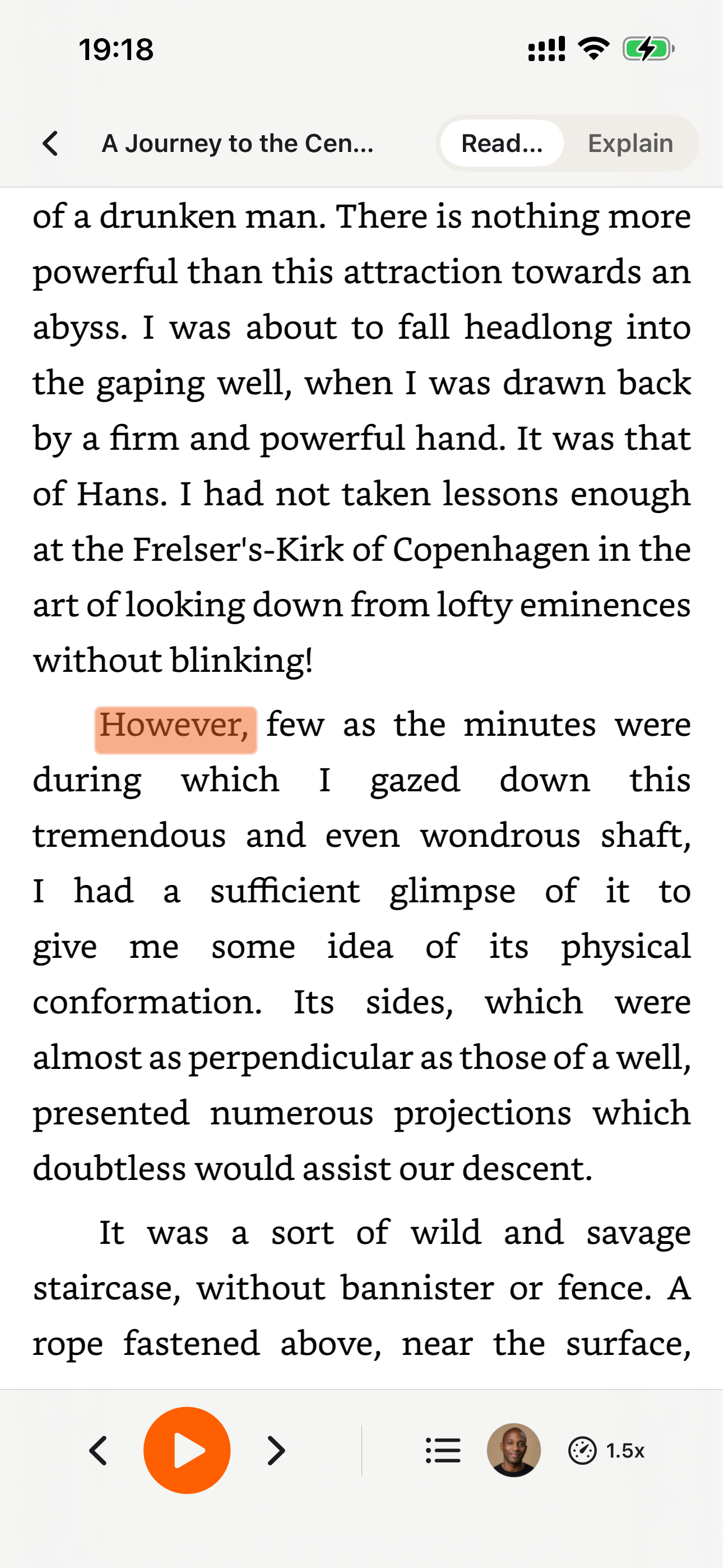
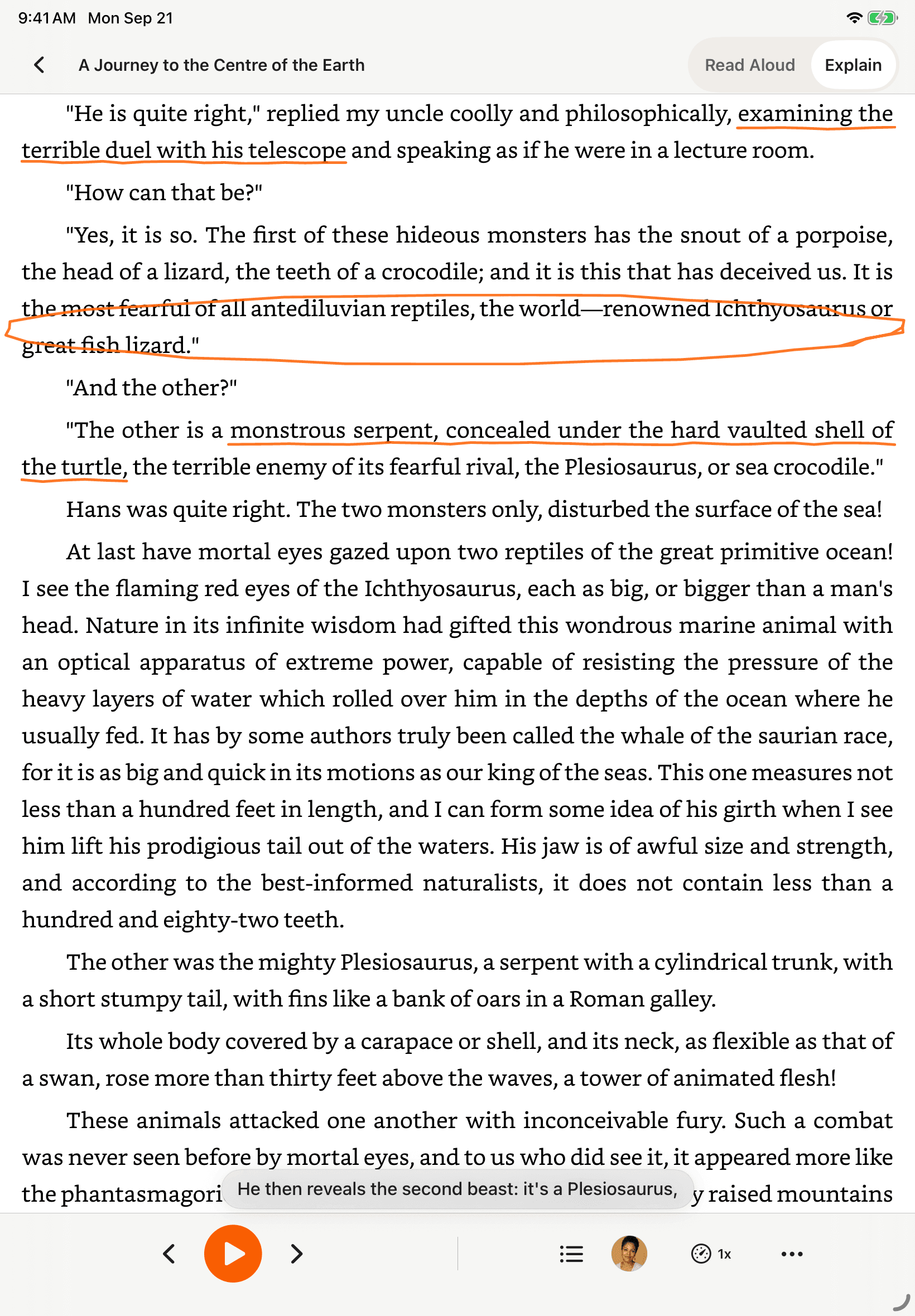
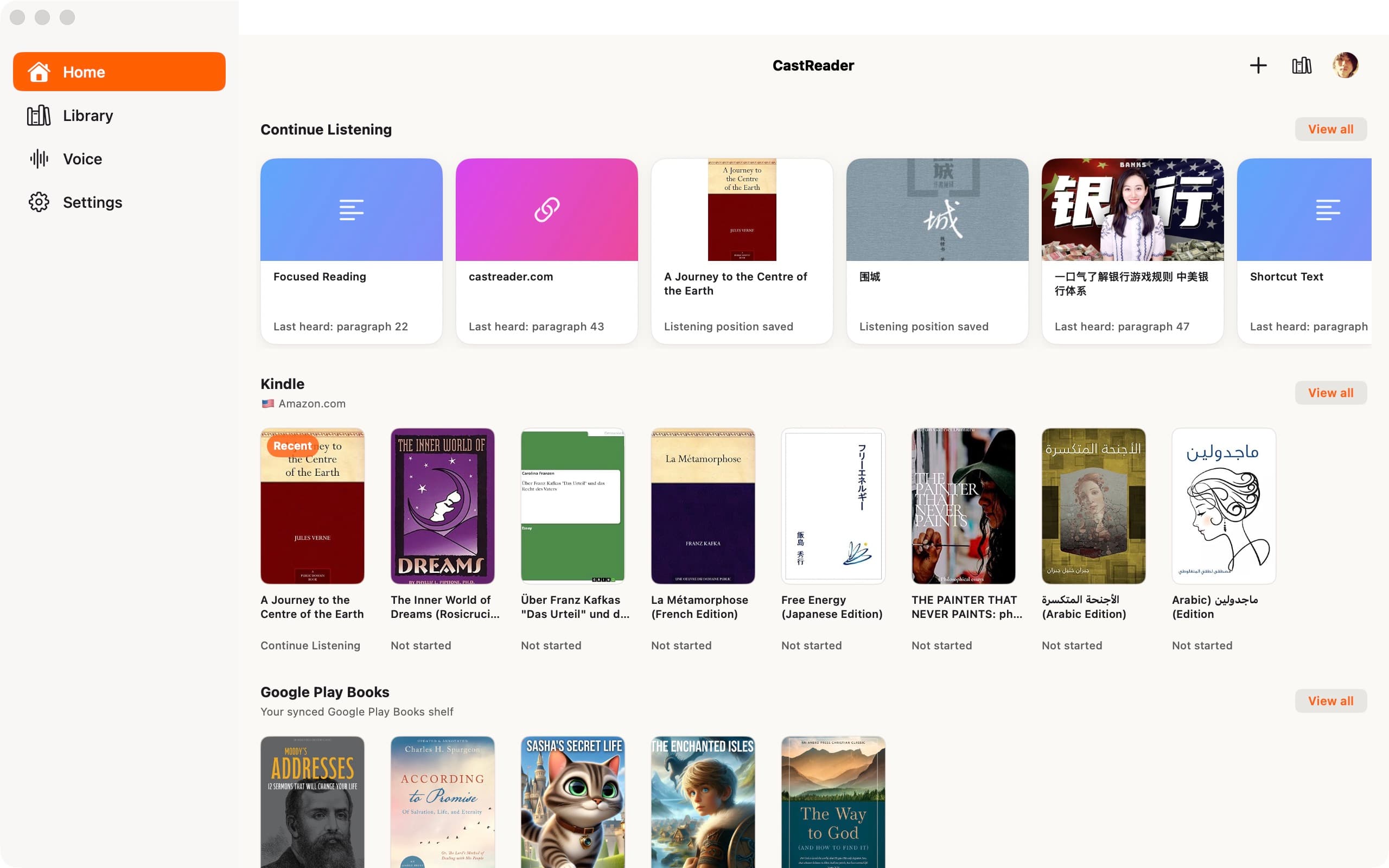
CastReader is available on iPad and Android tablets, with layouts adapted for a larger reading screen.
Find a reading voice you can listen to for hours
Preview real samples, compare language and availability status, and choose a voice for books, study, PDFs, or webpages before opening CastReader.
Listen before choosing
Every voice shown in the public library has a real sample.
Choose for the reading job
Compare voices for books, study, documents, and languages.
See the real boundaries
Language status and Free or Pro access stay clearly labeled.
CastReader Voice Hub
Free · Pro
English voices
Real samples available
Chinese voices
Real samples available
More languages
Browse availability
Read local documents in a voice that sounds like you
Sign in to create multiple private voices and hear each server-set fixed preview. Pro can apply them to Read Aloud and Explain in PDF, EPUB, Word, or TXT files for 120 minutes per membership month.
Record a clean sample of your own voice
Confirm ownership or explicit authorization
Use it in Read Aloud and Explain with Pro
Private voice cloning
From your voice to your documents
The document stays local
The original file stays on your device. CastReader parses it in your browser; cloned-voice playback sends the paragraph being spoken, not the file.
For developers · Voice API
Bring your own voice to your product.
CastReader Voice API adds private voice cloning and text to speech in 10 languages to your application. Submit short text through REST, retrieve MP3 or WAV, and pay for successful generation.
Developer preview · Self-service with verified identity, no manual approval · 3,000 trial characters per account (30 days; daily limits apply) · API billing is separate from reading plans
{
  "model": "clone-v1",
  "voice_id": "YOUR_VOICE_ID",
  "text": "Your next chapter starts here.",
  "language": "en",
  "output_format": "mp3"
}Start with your problem
What do you need CastReader to do?
Choose the situation that brought you here. We will take you to the shortest working path instead of making you sort through every feature.
Stuck on a Page? Have It Explained, Not Just Read
A plain reader pronounces a dense or foreign paragraph and leaves you just as lost. Quickread is different: it works out what the passage means and talks you through it in the language you know best, while a pen circles, underlines, and highlights the key points in the original. Eyes on the page, ears on the explanation — like a tutor reading along beside you, so even a thick research paper finally clicks.
- Cross-language — keep a supported foreign-language source visible while hearing an explanation in the language you know
- A pen marks the key points — your eyes follow the moving pen, so you never drift off
- Explains the meaning, not just the words — summarizes and unpacks dense academic writing so you catch the gist fast
Your Kindle & WeRead Library, Now Read Aloud
Open Kindle, WeRead, or O'Reilly in your browser and press play. CastReader narrates chapter by chapter with auto-advance; away from your desk, the native iPhone and Android apps cover Kindle listening on your phone.
- Reads text available through supported browser reading workflows
- Auto page-turning keeps the book flowing without interruption
- Native iPhone and Android apps for listening away from your desk
Hear a Supported AI Answer — or Have It Explained
On supported ChatGPT, Claude, and Gemini response layouts, a play button lets you hear one answer without starting from the whole page. For a difficult passage, Read & Explain can unpack the available text in your language. Test the current page layout before relying on the workflow.
- Per-response buttons — listen to one answer, not the whole conversation
- Great for code explanations, long analyses, and step-by-step guides
- Works across all major AI platforms
Long Read? Listen to It Like a Podcast
Drop onto a long article and press play — natural AI voices read it aloud with the current paragraph highlighted, so you can follow along while you cook, commute, or rest your eyes. Foreign-language piece? Switch to Quickread and hear it explained in your language instead.
- Smart extraction strips ads, navigation, and sidebars — just the article
- Paragraph highlighting keeps your place if you glance back at the screen
- Works on many supported text pages — news, blogs, newsletters, forums, and wikis

Artificial intelligence is transforming how we consume information. From personalized feeds to smart assistants, technology adapts to our habits.
But one gap remains: long-form reading. Articles pile up in bookmarks, PDFs sit unread, and newsletters go stale.
What if you could simply listen instead? AI-powered text-to-speech turns any webpage into a podcast-like experience.
 CastReader
One click turns any webpage into a listening experience with real-time word highlighting
Docs and Emails, Read Straight to You
A listen button appears beside your document title or email subject. One click reads it aloud with word-by-word highlighting — ideal for proofreading your own draft, reviewing a contract, or getting through a dense report without re-reading every line.
- Proofread by ear — catch errors your eyes missed
- Listen to long email threads while multitasking
- Word-level highlighting follows along in real time
Highlight Anything, Hear It On the Spot
Select accessible text on a supported browser page, right-click → Read Selected Text, and CastReader voices that passage with paragraph highlighting. This is useful for one important paragraph on a cluttered page.
- Works across many supported text pages — news, docs, PDFs, code, emails, and chat threads
- Detects the text language and suggests an available matching voice; CastReader supports 28 languages
- For native Mac apps, use macOS Read & Speak or another approved accessibility tool
Start free. Upgrade when you read a lot.
Free covers everyday reading. Pro is for heavy readers — whole books, long PDFs, premium voices, and unlimited explains.
- 20 minutes of listening / day
- Standard AI voices · up to 1.25× speed
- 3 AI explains / day
- Create multiple personal voices + fixed previews
- All sites · Kindle · WeChat Read · PDF · ChatGPT
- Upload your own PDF / Word / TXT
- Far more listening hours — no 20-min daily cap
- Full ebooks & long PDFs (Kindle, documents)
- More premium AI voices · up to 3× speed
- No daily limit on AI explains
- Apply your voices to Read and Explain · 120 min / membership month
Cancel anytime · Secure payment by Stripe