“This is 1 of the best TTS and its smooth. If this is truly free i'll keep this 100%. Every other TTS says its free but has a secret. They interrupt or they just say better ai voices pay. But i like this voice. I've tried loads and this is 1 of the best ones that actually says free.”
Read With AI Without Handing Over Your Whole Library
AI is most useful as a focused reading assistant: give it an authorized passage, ask a specific question, verify the answer against the source, and listen when audio helps. Avoid tools that silently sync protected books, private workspaces, or logged-in pages.
A safe way to read with AI is to submit only the passage needed for one question, ask for an explanation tied to that passage, verify names and claims against the original, and use text to speech for the answer if listening helps. Do not upload an entire copyrighted book, confidential PDF, private chat, or logged-in webpage without authorization. CastReader can read supported AI chat pages and offers Read & Explain, but it does not need access to your whole ebook library to help with one difficult section.
Four Useful AI Reading Jobs — and Two Boundaries
Start with a reading problem, not a promise that AI can ingest everything. Each job below has a concrete output you can check.
Explain one difficult passage
Ask for the main claim, unfamiliar terms, and the connection between sentences. Keep the source passage visible so every explanation can be checked.
Create questions for recall
Turn a section into a short self-test, answer without looking, then return to the text. This tests understanding instead of replacing the reading.
Clarify language and context
Ask for a plain-language explanation, term definitions, or background needed to understand a paragraph without translating or summarizing an entire work.
Hear the answer aloud
Use TTS for long AI responses when audio improves focus. Compare the spoken explanation with the source rather than treating a fluent voice as proof of accuracy.
Minimize the text you send
Remove names, credentials, customer data, unpublished results, and unrelated pages. Use an approved local or organizational tool when the material is sensitive.
Respect access and copyright
A purchased book is not automatically licensed for bulk extraction or model ingestion. Use excerpts within your rights and keep protected content in its approved reader.
Choose an AI Reading Workflow by Source
The safest method changes with the material. Use the minimum amount of text and access needed to answer the question.
| Source | Useful workflow | Do not assume |
|---|---|---|
| Public web article | Ask about a short quoted section and keep the URL | The AI read or cited the entire page correctly |
| Your own notes | Generate questions, an outline, or a plain-language explanation | The answer preserved every nuance |
| Course PDF | Use an authorized excerpt and verify against the assigned page | Uploading the complete file is permitted |
| Kindle or other protected ebook | Use platform accessibility features and discuss limited excerpts | A third-party agent may sync or export the library |
| Private work document | Use an approved enterprise or local model | A consumer tool meets your data policy |
| AI chat response | Read it aloud, then check its claims and sources | Natural speech means factual speech |
A Source-Grounded Read-With-AI Loop
- 1
Name the exact reading problem
Decide whether you need a definition, a causal explanation, a comparison, examples, or questions for recall. A specific request produces a checkable answer.
- 2
Provide the smallest useful passage
Use a paragraph or section you are allowed to process. Include the heading or nearby sentence only when it changes the meaning.
- 3
Require source-bound output
Ask the AI to separate statements supported by the passage from background knowledge and uncertainty. Request quotations only when they are short and necessary.
- 4
Verify before accepting
Check names, numbers, dates, definitions, and conclusions against the original. If the answer adds a claim, ask for a primary source rather than trusting repetition.
- 5
Listen and retrieve
Hear the answer aloud if useful, then close it and explain the idea in your own words. Return to the source for anything you cannot reconstruct.
How to Use an AI Reading Assistant for Real Understanding
The highest-value AI reading task is not 'read everything for me.' It is resolving a specific obstacle while the original remains available. Ask what a paragraph claims, why one step follows another, which term is being used in a technical sense, or what evidence would weaken the conclusion. These questions create answers that can be compared directly with the source.
For a book chapter, begin with your own summary before asking the model. Then request two points you may have missed and require each point to be tied to an excerpt you supplied. This reveals disagreement instead of letting the AI produce a polished replacement summary. For fiction, distinguish text-supported character evidence from speculation; for nonfiction, separate the author's claim from the model's background knowledge.
For PDFs and research papers, page structure matters. OCR can misread columns, footnotes, formulas, and tables before the AI ever sees the text. Confirm that the extracted passage matches the page, include a figure caption when the question depends on it, and verify citations in the original paper. A confident explanation built on broken OCR is still wrong.
Listening can reduce visual load, but it introduces another trap: fluent speech sounds authoritative. When CastReader reads a supported ChatGPT, Claude, or Gemini response, the voice is presenting generated text, not validating it. Pause on dates, quantities, quotations, medical or legal claims, and any recommendation that affects money or safety. Follow the cited primary source before acting.
Privacy should be decided before convenience. Remove personal identifiers and unrelated context from ordinary prompts. Do not send credentials, private messages, customer records, health or financial data, unpublished research, or confidential source code to an unapproved service. If an organization provides a governed AI environment, use its data rules and retention settings instead of a consumer workflow.
Copyright and access controls are separate from whether software can technically extract text. Buying an ebook usually gives reading access under platform terms; it does not automatically authorize bulk copying into another system. Use native accessibility features for protected works, limit discussion to excerpts you may use, and do not select a tool because it promises to defeat a reader's protection.
Advanced users may encounter the CastReader OpenClaw skill. ClawHub's May 2026 security audit says the skill can extract page or document content and send text to a remote TTS service, and it warns about private, logged-in, sensitive, and copyrighted pages. Review the current audit and skill code, use a trusted HTTPS endpoint, restrict permissions, and start only with a public test page. It is not a zero-risk local-only shortcut.
A useful session ends with a result you can state without the AI: a corrected definition, a causal chain, three recall questions, or a list of uncertainties to research. If the output merely makes the source longer, it has not added information value. Keep the prompts narrow, the source visible, and the verification step mandatory.
AI Reading Questions
Can AI read a book for me?
AI can explain authorized excerpts, generate questions, or discuss text you provide, but it should not be assumed to have lawful access to an entire protected book. Use the publisher's reading and accessibility features for the full work, and use limited passages for focused help.
What is the best way to ask AI about a difficult paragraph?
Paste only the needed paragraph, state what is confusing, and ask for the main claim, key terms, and sentence-to-sentence logic. Require the model to mark any background information not contained in the passage, then verify its explanation against the original.
Can CastReader read ChatGPT, Claude, or Gemini answers aloud?
CastReader has dedicated browser workflows for supported AI chat pages. Text to speech can make long answers easier to review, but it does not confirm their accuracy. Pause and verify important names, numbers, quotations, sources, and high-stakes recommendations.
Is it safe to upload a private PDF to an AI reader?
Not by default. Check the service's data handling, retention, training, access controls, and your organization's policy. Remove sensitive information or use an approved local or enterprise environment. Do not upload legal, medical, financial, customer, or unpublished material without authorization.
Does the CastReader OpenClaw skill keep everything local?
No blanket local-only claim is accurate. ClawHub's current security audit says extracted content can be sent to a remote TTS service and warns about sensitive or logged-in pages. Review the audit, code, endpoint, and permissions before installation, and test only public content first.
How can AI help me study without replacing learning?
Summarize the passage yourself, ask AI to generate a small recall test, answer without looking, and return to the source to correct mistakes. Ask for explanations only where you are stuck. This keeps retrieval and source checking inside the study process.
Can I use AI with Kindle or another protected ebook?
Use the platform's approved accessibility tools for continuous reading. Discuss only excerpts you are allowed to use, and do not assume a third-party agent may extract or sync the entire library. Technical access does not create copyright or redistribution permission.
Why should I listen to an AI answer and read the source?
Audio can reduce visual load and make a long explanation easier to follow, while the source provides the evidence needed to verify it. Use speech for review, then return to exact wording, numbers, citations, code, tables, or formulas before accepting a claim.
Continue With the Right Reading Surface
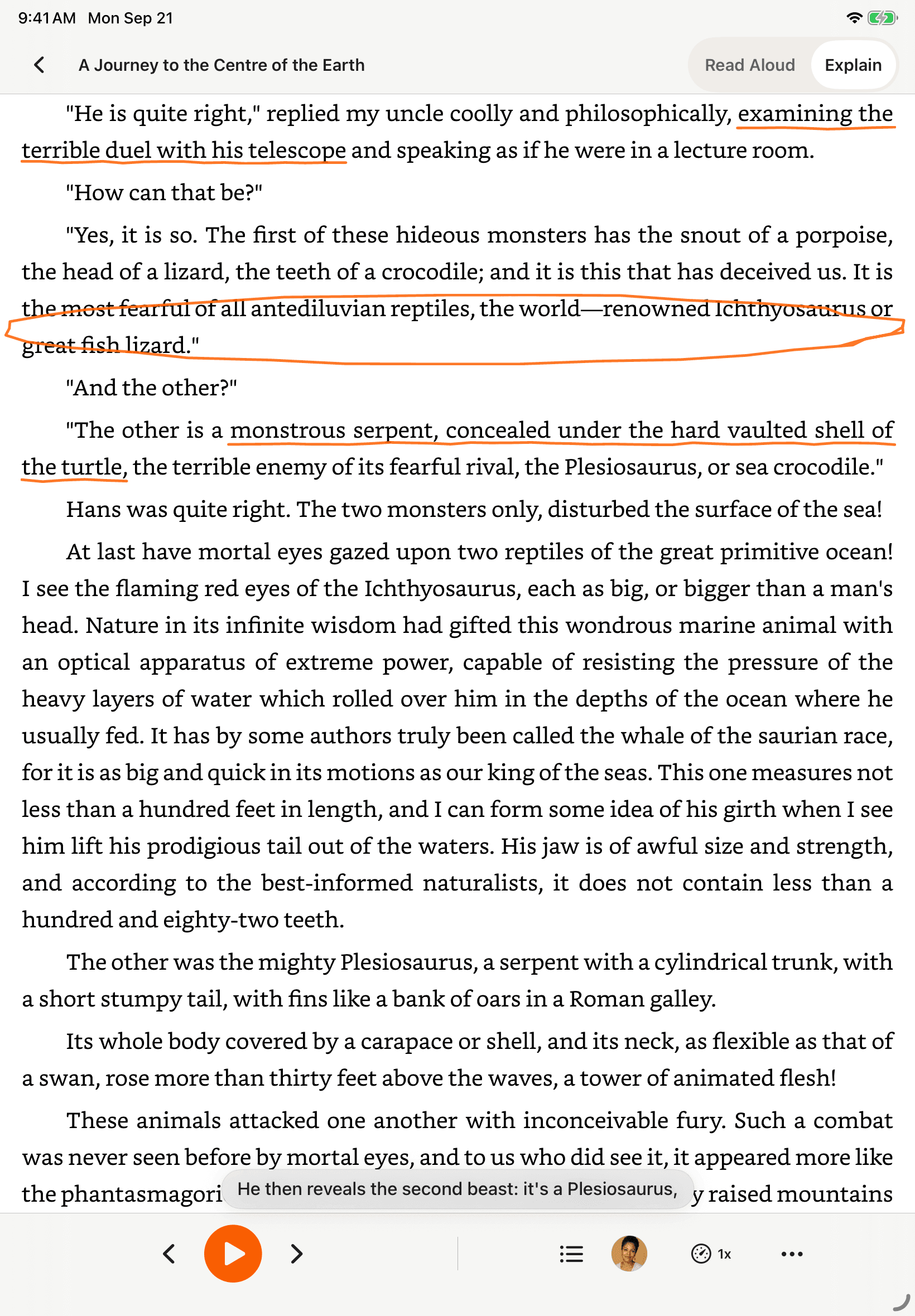
Read & Explain
Ask a focused question about difficult text while preserving the distinction between explanation and translation.
Listen to ChatGPT
Hear a supported ChatGPT response, then verify important claims against primary sources.
Listen to Claude
Review long Claude answers by audio without treating fluent playback as fact checking.
Text to Speech for Students
Combine listening with retrieval practice, source checking, and accessible course materials.
Listen on Your Phone
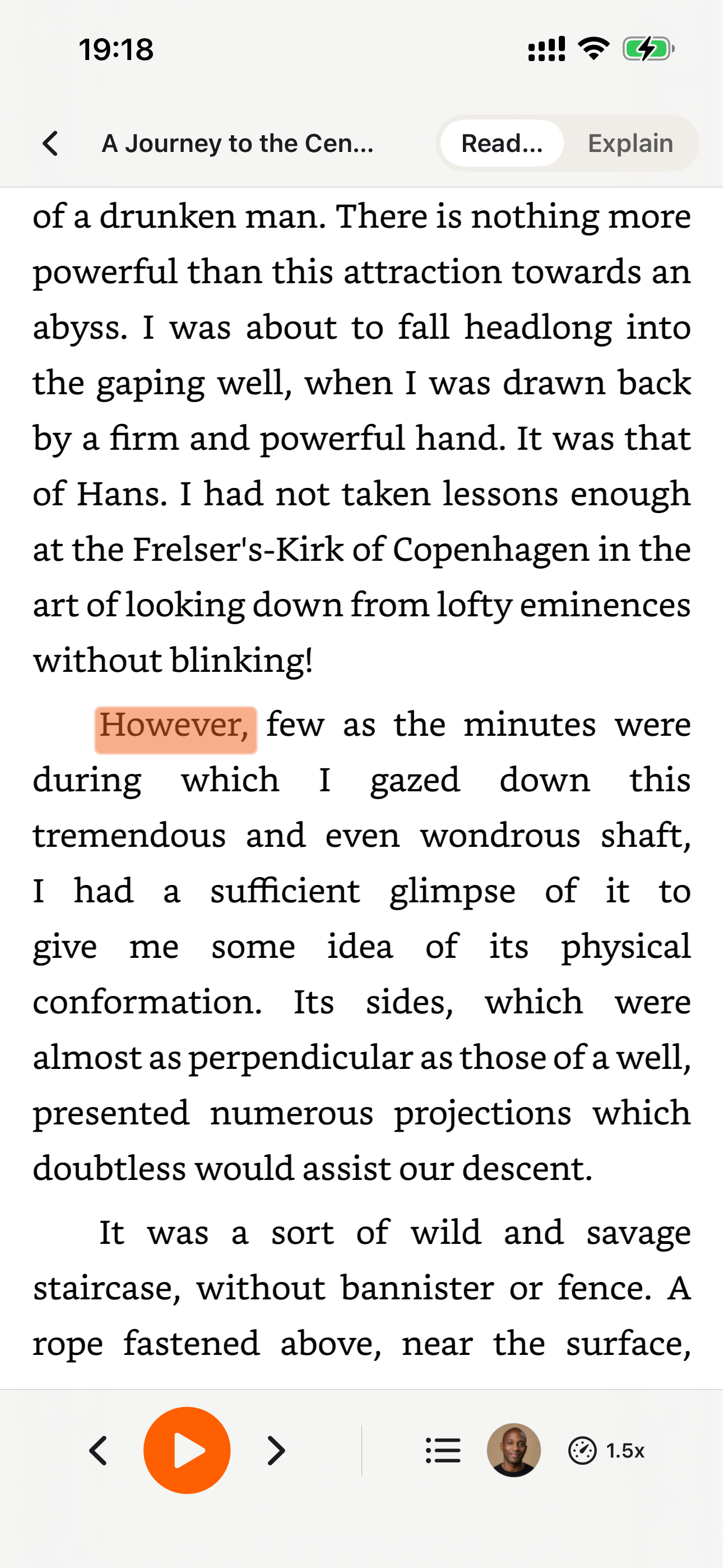
Download the CastReader app to listen to your uploaded documents anywhere.


Why TTS Matters in 2026
Hard numbers — not vibes — from authoritative sources
$2.22 billion
US audiobook sales in 2024, up 13% year-over-year (Publishers Weekly / Audio Publishers Association)
Source →51%
of US adults have listened to an audiobook in 2025 — roughly 134 million people (APA Consumer Survey 2025)
Source →2.2 billion
people globally with near- or far-vision impairment (WHO Fact Sheet, 2024). TTS is the primary access path for digital reading content.
Source →78%
of audiobook listeners multitask while listening — commute, chores, exercise (Audiolibrix Great Audiobook Survey, 2024)
Source →27.2 minutes
average single-trip US commute in 2024, up from 26.8 (US Census ACS via Statista). That's nearly an hour each day of audio-only time.
Source →effect size 0.35
measured comprehension lift from TTS for reading-disabled students across 22 studies (Wood, Moxley, Tighe & Wagner, Journal of Learning Disabilities, 2018)
Source →15.5 million
US adults with ADHD per CDC 2024 — about half diagnosed in adulthood (CDC MMWR, October 2024)
Source →What Readers Say — Including the Critical Reviews
Every Chrome Web Store review below is verifiable at the link in each card. We don't hide negative feedback — we answer it within 24 hours.
“Works perfectly on vivaldi. One suggestion though. I wish it had a play button appear next to a paragraph when we hover over it. Just like in the case of speechify.”
“Extremely user friendly short keys. Placed forward backward and speed up down as Natural as it could be. Voices are great and smooth. I would recommend it over many hyped products.”
“At the very least it's better than many paid TTS models. Still not as good as ElevenReader or LAP, but maybe the best free model for TTS.”
“So glad I can finally switch voices! The default was fine but I found one I actually enjoy listening to for hours. Small thing, huge difference.”
“Best one i found, user friendly, and great voice over.”
“ChatGPT's long answers are finally listenable. Let it generate while I listen — doubles my productivity. Love the inline button next to each response.”
“I tried using this add-on to listen to an ebook on the O'Reilly learning platform, and it works smoothly. However, it always restarts from the first paragraph whenever I scroll or select a different paragraph. Please consider adding a bookmark or checkpoint feature so users can mark where the reading should begin.”
↪ Founder reply
Replied by CastReader founder Yan Xu within 48 hours: acknowledged the issue, shipped a bookmark feature in the following release. Reviewer's verbatim feedback drove the v1.2 roadmap.
“Need to highlight text and select it.”
“Hard to select text.”
↪ Founder reply
Replied by CastReader founder Yan Xu within 24 hours: apologized, asked which site/browser the issue occurred on, provided a workaround using the keyboard shortcut, and offered direct support at support@castreader.com.
Recent Updates
We re-test, re-write, and ship continuously. Every entry has a real date.
Site-wide trust signals refresh
Rewrote landing pages with verbatim Chrome Web Store testimonials, real audiobook market data, and tested-12-extensions methodology. Every claim now has a sourceable link.
Native mobile listening
CastReader provides native apps for iPhone and Android; Android downloads are available directly from Google Play.
Technical deep-dive published
Wrote up the OCR pipeline: how CastReader handles Amazon's 184 random font alphabets and 361 unique glyphs per Kindle book. Shared in dev.to.
Mobile Kindle Read Aloud page added
The phone app flow now has its own landing page for bookshelf sync, Read Aloud, synced highlighting, auto-scroll, background playback, and resume progress.
Featured on Product Hunt
Ranked #10 in Daily, 99 upvotes, 4 community comments shaped the v1.2 roadmap.
Voice quality upgrade — Kokoro AI
Switched from older TTS engines to Kokoro neural voices. User reviews shifted from 'usable but robotic' to 'enjoy listening for hours' (verbatim from review by patrick chiang).
First wave of extraction reliability improvements
OCR success rate improved from 78% to 89% on English-language Kindle books. Multi-column page detection added for academic PDFs.
Why This Exists
I built CastReader because I owned hundreds of Kindle books and couldn't listen to them on my morning runs without buying separate Audible copies. The technical problem — Amazon's Cloud Reader font encryption — turned out to be solvable with OCR. The product problem — making it actually pleasant across phones, desktops, and 8 supported languages — took two years of iteration. We're a small team. I answer every Chrome Web Store review personally (see testimonials above — including the 3-star and 1-star ones). If something's broken or missing, email support@castreader.com.
— Yan Xu, founder
Last reviewed: · CastReader Team — reviewed against 2025 testing data
Listen to anything — free, on every device.
Add CastReader to Chrome / Edge, or get the iOS and Android apps. Free to start, with optional Pro features.
Browser extensions
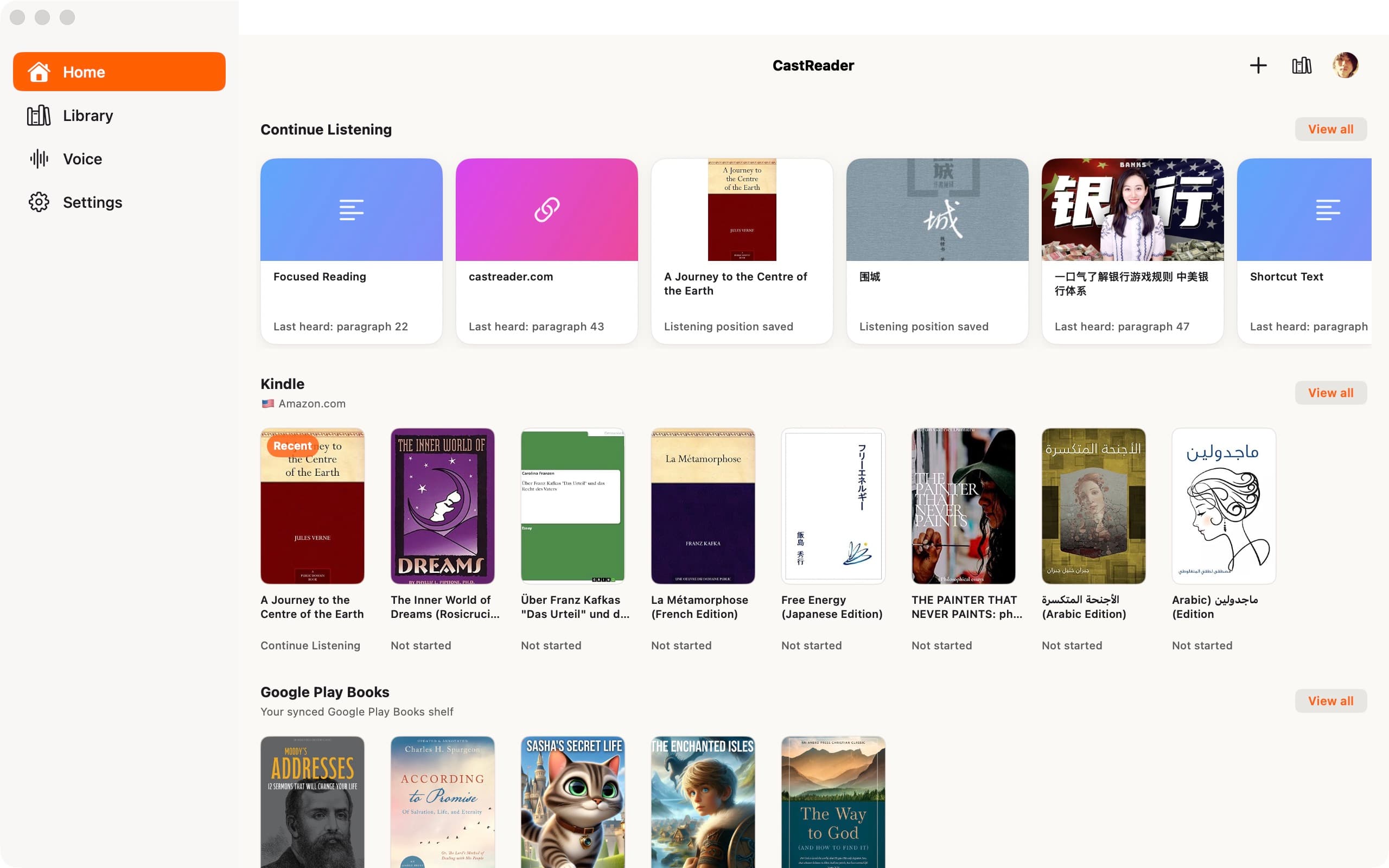
Mobile apps
Official App Store and Google Play downloads · Chrome, Edge, and Firefox extensions