When an Email Is Too Long, Too Legal, or in a Language You Don't Read

A client writes in French. A vendor sends a dense contract by email. A bank buries the one thing that matters in three paragraphs of terms. Gmail's translate button swaps the words; it doesn't tell you what the email actually means. CastReader Quickread reads the email, explains the point in the language you think in, and marks the key lines with a moving pen — right inside Gmail. Free to start, no sign-up.

Free to StartNo sign-upWorks in Gmail40+ languages

Received an email in a language you barely read? CastReader explains it in your own language — a spoken explanation, not just a translation, calling out the deadlines, terms and action items right on the message. Open the email, choose your language, and listen. Free to start, no signup.

D
Condiciones del acuerdo — siguientes pasos
Daniel Reyes <daniel@northbridge.co>
Explaining
Spanish emailEnglish

Gracias por la llamada de ayer. Para avanzar, necesitaríamos el acuerdo de confidencialidad firmado antes del viernes, y luego podremos enviarte la lista completa de precios. Ten en cuenta que la tarifa introductoria solo se mantiene hasta el final del trimestre, así que firmar antes te conviene. Si algo en el borrador no encaja, dínoslo ahora y no más tarde, porque cuesta mucho más cambiarlo una vez que el equipo legal lo ha aprobado. Un saludo.

KeydeadlinetheNDAsignedbackbeforeFriday.

1/51.0×

A foreign-language email, explained in yours — deadlines, terms and caveats spelled out line by line and marked on the original. Never miss what matters.

Cross-language40+

Foreign emails, contracts, notices — Quickread explains them in the language you know best, same pen, same mark-up.

English中文日本語EspañolFrançaisDeutsch+40 more

Gmail Can Translate an Email. Quickread Tells You What It Means.

Gmail's built-in translate turns every word into another language and leaves you to make sense of a dense business or legal message yourself. Quickread reads the email, explains the point in your language, and marks the lines that actually matter.

Foreign-Language Email, Explained in Yours

A client emails in French, a supplier writes in German, an invoice arrives in Japanese. Gmail can translate it word for word — but a literal translation of a formal, jargon-laden message can be almost as hard to follow as the original. Set your explanation language once and Quickread explains any foreign email in the language you think in: what they're asking for, what they're agreeing to, what they need from you. The original email stays on screen with the key lines marked, so you can reply with confidence.

Long Business Emails, Distilled to the Point

Some of the hardest emails aren't foreign at all — they're the five-paragraph thread where the actual ask is buried in line four, or the all-staff message you skim and miss the deadline in. Quickread reads the whole email, works out what it's really saying, and talks you through it: who needs what, by when, and what you have to do. It compresses the throat-clearing, surfaces the one sentence that matters, and saves you from re-reading a long message three times.

Legal and Financial Emails in Plain Language

Contract amendments, terms-of-service updates, loan and insurance notices, settlement letters — the emails that are technically in your language but written to be precise, not clear. Quickread reads the dense clause, explains what it means for you in plain words, and circles the line that carries the obligation or the number that changed. You still have the original on screen to forward or act on, but you finally understand what you're looking at before you reply or sign.

A Pen Marks the Key Lines in the Email

Quickread doesn't just talk over the message — it draws on it. As the explanation reaches each important point, a pen moves to the matching line in the email and marks it: a hand-drawn circle around the deadline, a wavy underline beneath the actual request, a yellow highlight over the amount or the obligation. The marks stay put, so a wall of an email ends up looking like one a careful assistant went through with a pen, and you can glance back to exactly the lines that need a response.

Or Just Listen to the Email — Both Modes, One Tool

Sometimes you don't need it explained — you just want the email read to you while you're between tasks. CastReader does that too: read-aloud narrates the message word for word in a natural neural voice, with the current line highlighting and the view scrolling to keep pace — handy for clearing the inbox hands-free or proofing a draft. Quickread when you want the point distilled, read-aloud when you want the email in your ears: pick whichever fits the message.

Free to Start, No Account, Nothing to Connect

Install and go: the free tier includes three Quickread explains a day and 20 minutes of daily listening with natural standard voices — no signup, nothing to configure. CastReader reads and explains the email already open in your Gmail tab; it never asks you to log into anything or connect your mailbox to a third-party service. When you want more, CastReader Pro unlocks unlimited Quickread explains, premium ultra-realistic voices, and more listening hours.

From a Confusing Email to a Clear Explanation in Three Steps

  1. 1

    Install CastReader

    Add the free extension from the Chrome Web Store — it also runs on Edge, Brave, Arc, Vivaldi, Opera and other Chromium browsers. There's no sign-up and nothing to configure; it's ready the moment it installs and works in Gmail on the web at mail.google.com.

  2. 2

    Open the Email and Set Your Language

    Open the message you're stuck on — a foreign-language client note, a long contract email, a legal or finance notice. Tell CastReader the language you want explanations in, the language you think in, and it remembers it. No copying the email out, no pasting it anywhere; Quickread reads the message that's already on screen.

  3. 3

    Hit Quickread and Follow the Pen

    Press Quickread and lean back. A natural voice talks you through what the email means in your language — the ask, the deadline, the obligation — while the pen circles, underlines, and highlights the key lines in the original message. Want it word for word instead? Switch to read-aloud. Pause, resume, change the voice, or adjust the speed anytime.

Why You'd Want an Email Explained, Not Just Translated

Most of us spend a good chunk of the day in Gmail, and most email is easy enough to read. The trouble is the handful of messages that aren't: the client who writes in a language you don't speak, the five-paragraph thread where the actual request is buried somewhere in the middle, the contract amendment or bank notice written to be legally precise rather than humanly clear. Those are the emails you re-read, forward to a colleague with 'can you tell me what this means,' or quietly put off answering. CastReader Quickread is built for exactly those messages. It reads the email that's open in front of you, works out what it's really saying, and explains it back in plain language — the deadline, the ask, the obligation — in the language you actually think in.

It's worth being clear about how this differs from Gmail's own translation. Gmail can translate an incoming message, and that's genuinely useful for getting the gist of a foreign email. But translation and explanation are not the same thing. A word-for-word translation of a formal, jargon-heavy email is often almost as hard to parse as the original — the words are now in your language, but the meaning is still buried in long sentences and legalese. Quickread goes the extra step: it doesn't just convert the words, it tells you what the email means for you. It summarizes the long parts, unpacks the dense clauses, and surfaces the single line that actually requires a response. Gmail's translate gives you the words; Quickread gives you the takeaway. They're complementary, not competing — and for a tricky message, the takeaway is what you were really after.

The cross-language case is the headline one. When a client in Paris, a supplier in Munich, or a partner in Tokyo writes to you, you need to reply quickly and correctly, and you can't afford to misread what they're agreeing to or asking for. Set your explanation language once and Quickread explains any foreign-language email in the language you think in — a real explanation of what the sender means, not a brittle literal translation. The original message stays on screen with the key lines marked, so you can quote it accurately in your reply and pick up phrases in the source language as you go. It turns a daunting foreign email into something you can answer with confidence in a minute.

And Quickread shows its work right inside the message. As it talks you through an email, a pen moves across the original text and marks what matters — a hand-drawn circle around the deadline, a wavy underline beneath the actual request, a yellow highlight over the amount or the clause that changed. The annotations stay put, so a wall of an email ends up looking like one a careful assistant went through with a pen, and you can glance straight back to the lines that need a response. There's a real attention benefit too: instead of your eyes sliding down a long message and losing the thread, they follow the moving pen to the exact line being explained, so you take in the important parts actively rather than skimming past them.

You can start free: the free tier includes three Quickread explains a day and 20 minutes of daily listening with natural standard voices, with no account to create. CastReader reads and explains whatever is already rendered in your Gmail tab, so it never asks you to connect your mailbox to a third-party service or hand over a password — you just open the email and press Quickread. When you outgrow the daily allowance, CastReader Pro adds unlimited Quickread explains, premium ultra-realistic voices, more listening hours, and deeper AI document analysis on top. Add CastReader on Chrome or Edge, open the email that's been sitting unanswered, and let it explain the message instead of leaving you to decode it. Questions about setup, supported languages, or an email that isn't explaining correctly are always welcome at support@castreader.ai.

Questions About Explaining Emails in Gmail

Straight answers about how Quickread explains an email, how it differs from Gmail's translate and from read-aloud, the cross-language feature, the pen mark-up, privacy, and what's free.

What does it mean to 'explain' an email?

Quickread reads the email open in your Gmail tab, works out what it's really saying, and talks you through it in plain language — the ask, the deadline, the obligation — in the language you think in. As it explains, a pen marks the key lines in the message: a circle around the deadline, an underline beneath the request, a highlight over the amount. It's the difference between hearing an email recited and having someone tell you what it actually means for you.

How is this different from Gmail's own translate button?

Gmail's translate swaps every word into another language, which is great for getting the gist of a foreign email. But a literal translation of a formal, jargon-heavy message can be almost as hard to follow as the original — the words change, the meaning stays buried. Quickread explains what the email means: it summarizes the long parts, unpacks the dense clauses, and surfaces the line that needs a reply. Gmail's translate gives you the words; Quickread gives you the takeaway. They work well together.

Can it explain an email written in a language I don't read?

Yes — this is the headline feature. Set the language you want explanations in, and Quickread explains any foreign-language email in it: a French client note, a German contract, a Japanese invoice. You hear a real explanation of what the sender means — what they're asking, agreeing to, or need from you — not a stiff word-for-word translation, with the original email still on screen and the key lines marked.

Does it work on long business emails that are already in my language?

Yes, and it's one of its best uses. The five-paragraph thread where the real ask is buried in line four, or the all-staff message where you'd skim past the deadline — Quickread reads the whole thing and tells you who needs what, by when, and what you have to do. It compresses the filler and surfaces the one line that actually matters, so you don't re-read a long email three times.

Can it help with legal and financial emails?

Yes. Contract amendments, terms-of-service updates, loan and insurance notices, settlement letters — emails written to be precise rather than clear. Quickread reads the dense clause and explains what it means for you in plain words, circling the line that carries the obligation or the number that changed. You still have the original on screen to act on, but you understand it before you reply. (For anything with legal consequences, treat the explanation as a fast first read, not legal advice.)

How does the pen mark-up work on an email?

As the explanation reaches each important point, a pen glides to the matching line in the email and marks it — a hand-drawn circle around the deadline, a wavy underline beneath the actual request, or a yellow highlight over the amount or the obligation. The marks stay on the page as the explanation moves on, so by the end the email is annotated the way a careful assistant would leave it, and you can jump straight to the lines that need a response.

Does it work inside Gmail on the web?

Yes. CastReader works on Gmail at mail.google.com — it reads and explains the email already rendered in your tab, no copying the message out or pasting it elsewhere. Open the email, press Quickread, and the explanation happens right there alongside the original.

Can I still just have the email read aloud word for word?

Absolutely. Switch to read-aloud and a natural neural voice narrates the email exactly as written, with the current line highlighting and the view scrolling to keep pace. That's the mode you want for clearing the inbox hands-free or proofing a draft. Quickread for the takeaway, read-aloud for the full message — both live in the same tool.

Is the explain feature free?

Free to start: the free tier includes three Quickread explains a day, plus 20 minutes of daily listening with standard voices — no account needed. If you wade through tricky email all day, CastReader Pro (optional) unlocks unlimited Quickread explains, premium ultra-realistic voices, and more listening time.

Do I need to connect my mailbox or sign in?

No. There's no login, no signup, and nothing to connect. CastReader reads and explains whatever email is already rendered in your Gmail tab. It never asks you to link your mailbox to a third-party service or hand over a password, and it doesn't see your account — you just open the email and press Quickread. Any privacy question, email support@castreader.ai and a human will answer.

Which languages can it explain into, and from?

Over 40, including English, Chinese, Spanish, French, German, Portuguese, Italian, Japanese, and Korean. You can read an email in one of them and have it explained in another — get a French client email explained in English, a Chinese message explained in English, and so on. CastReader handles mixed-language emails too, so a quote or term in another language doesn't break the explanation.

Does CastReader send my email content to a server?

Standard free-tier playback uses the on-device Kokoro voice model, so that audio is generated locally; premium Pro voices and Quickread explanations are processed through our API. Either way we don't store your email content, and we're not in the business of collecting your mail. For any privacy question, write to support@castreader.ai and a human will answer.

How is this different from copying the email into a chatbot?

Copying an email into a chatbot means selecting the text, losing the formatting, switching apps, pasting, asking, and then mapping the answer back onto the original — and you can't see which line it's referring to. Quickread stays in Gmail: it already sees the email, explains it in place in your language, and marks the exact lines it's talking about with a pen, so the explanation and the message sit side by side. You skip the copy-switch-paste loop and can listen hands-free.
Listen on Your Phone

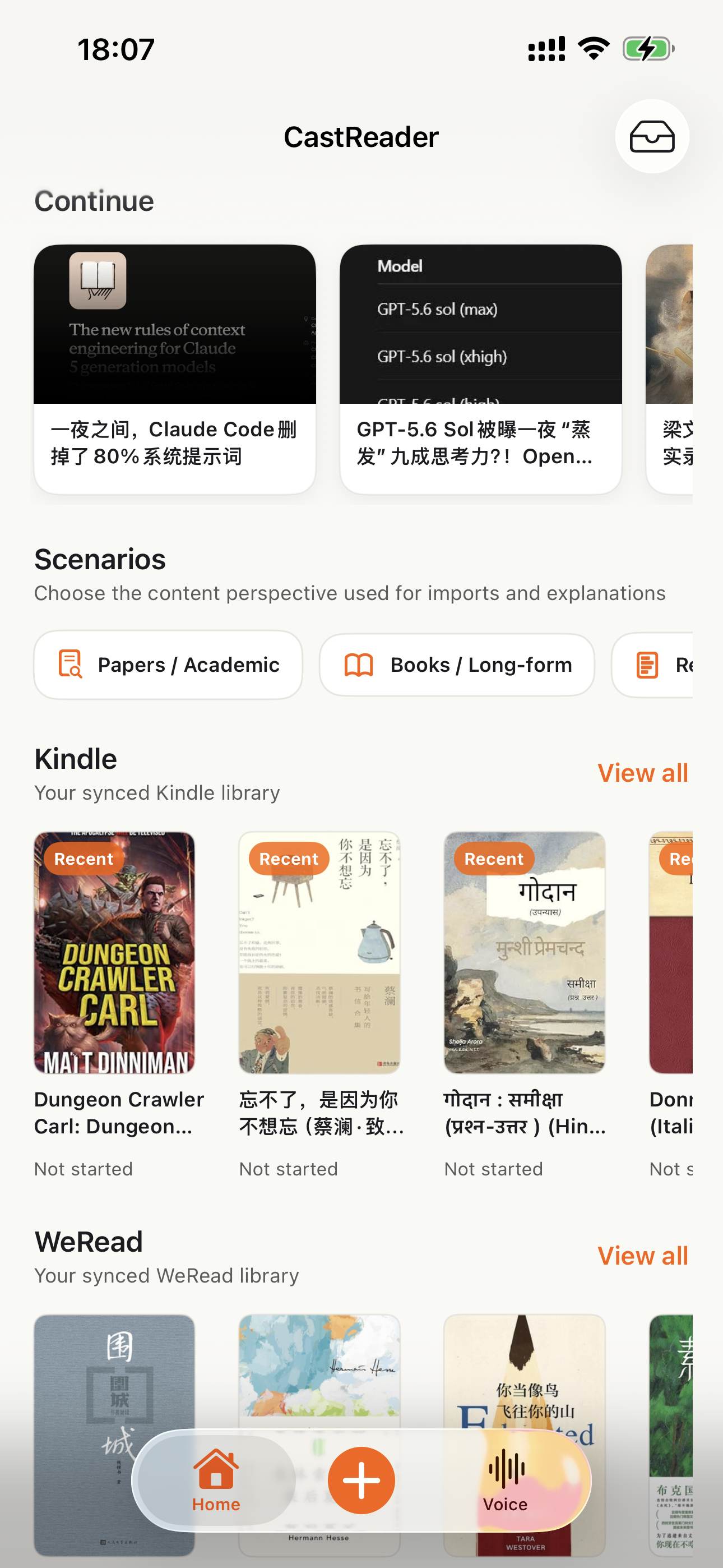
Download the CastReader app to listen to your uploaded documents anywhere.

Explore books
Book details
Reading experience

Why TTS Matters in 2026

Hard numbers — not vibes — from authoritative sources

$2.22 billion

US audiobook sales in 2024, up 13% year-over-year (Publishers Weekly / Audio Publishers Association)

Source →

51%

of US adults have listened to an audiobook in 2025 — roughly 134 million people (APA Consumer Survey 2025)

Source →

2.2 billion

people globally with near- or far-vision impairment (WHO Fact Sheet, 2024). TTS is the primary access path for digital reading content.

Source →

78%

of audiobook listeners multitask while listening — commute, chores, exercise (Audiolibrix Great Audiobook Survey, 2024)

Source →

27.2 minutes

average single-trip US commute in 2024, up from 26.8 (US Census ACS via Statista). That's nearly an hour each day of audio-only time.

Source →

effect size 0.35

measured comprehension lift from TTS for reading-disabled students across 22 studies (Wood, Moxley, Tighe & Wagner, Journal of Learning Disabilities, 2018)

Source →

15.5 million

US adults with ADHD per CDC 2024 — about half diagnosed in adulthood (CDC MMWR, October 2024)

Source →

What Readers Say — Including the Critical Reviews

Every Chrome Web Store review below is verifiable at the link in each card. We don't hide negative feedback — we answer it within 24 hours.

★★★★★
This is 1 of the best TTS and its smooth. If this is truly free i'll keep this 100%. Every other TTS says its free but has a secret. They interrupt or they just say better ai voices pay. But i like this voice. I've tried loads and this is 1 of the best ones that actually says free.
Jordan · Chrome Web Store
★★★★★
Works perfectly on vivaldi. One suggestion though. I wish it had a play button appear next to a paragraph when we hover over it. Just like in the case of speechify.
Loic COBBINA · Chrome Web Store
★★★★★
Extremely user friendly short keys. Placed forward backward and speed up down as Natural as it could be. Voices are great and smooth. I would recommend it over many hyped products.
grann tosif · Chrome Web Store
★★★★★
At the very least it's better than many paid TTS models. Still not as good as ElevenReader or LAP, but maybe the best free model for TTS.
eclpse_ · Chrome Web Store
★★★★★
So glad I can finally switch voices! The default was fine but I found one I actually enjoy listening to for hours. Small thing, huge difference.
patrick chiang · Chrome Web Store
★★★★★
Best one i found, user friendly, and great voice over.
Mohab A · Chrome Web Store
★★★★★
ChatGPT's long answers are finally listenable. Let it generate while I listen — doubles my productivity. Love the inline button next to each response.
young D · Chrome Web Store
★★★★★
I tried using this add-on to listen to an ebook on the O'Reilly learning platform, and it works smoothly. However, it always restarts from the first paragraph whenever I scroll or select a different paragraph. Please consider adding a bookmark or checkpoint feature so users can mark where the reading should begin.

↪ Founder reply

Replied by CastReader founder Yan Xu within 48 hours: acknowledged the issue, shipped a bookmark feature in the following release. Reviewer's verbatim feedback drove the v1.2 roadmap.

Hedi · Chrome Web Store
★★★★
Need to highlight text and select it.
Vivian Le · Chrome Web Store
★★★★
Hard to select text.

↪ Founder reply

Replied by CastReader founder Yan Xu within 24 hours: apologized, asked which site/browser the issue occurred on, provided a workaround using the keyboard shortcut, and offered direct support at support@castreader.ai.

David Smolinski · Chrome Web Store

Read all 28 reviews on Chrome Web Store

Recent Updates

We re-test, re-write, and ship continuously. Every entry has a real date.

  1. Site-wide trust signals refresh

    Rewrote landing pages with verbatim Chrome Web Store testimonials, real audiobook market data, and tested-12-extensions methodology. Every claim now has a sourceable link.

  2. Send-to-Phone reliability improvements

    Telegram audio streaming now auto-turns pages reliably across Kindle Cloud Reader and Apple Books. Reduces session interruptions by ~70% in internal testing.

  3. Technical deep-dive published

    Wrote up the OCR pipeline: how CastReader handles Amazon's 184 random font alphabets and 361 unique glyphs per Kindle book. Shared in dev.to.

  4. CastReader for Mac released

    Native macOS app reads Kindle for Mac with word-level highlighting. Floating player + system-wide hotkeys. No browser needed.

  5. Featured on Product Hunt

    Ranked #10 in Daily, 99 upvotes, 4 community comments shaped the v1.2 roadmap.

  6. Voice quality upgrade — Kokoro AI

    Switched from older TTS engines to Kokoro neural voices. User reviews shifted from 'usable but robotic' to 'enjoy listening for hours' (verbatim from review by patrick chiang).

  7. First wave of extraction reliability improvements

    OCR success rate improved from 78% to 89% on English-language Kindle books. Multi-column page detection added for academic PDFs.

Why This Exists

I built CastReader because I owned hundreds of Kindle books and couldn't listen to them on my morning runs without buying separate Audible copies. The technical problem — Amazon's Cloud Reader font encryption — turned out to be solvable with OCR. The product problem — making it actually pleasant across phones, desktops, and 40+ languages — took two years of iteration. We're a small team. I answer every Chrome Web Store review personally (see testimonials above — including the 3-star and 1-star ones). If something's broken or missing, email support@castreader.ai.

— Yan Xu, founder

Last reviewed: · CastReader Team — reviewed against 2025 testing data

Stop Decoding Your Inbox

Add CastReader free, open the email that's been sitting unanswered, and press Quickread — it explains the message in your language and marks the key lines with a pen while you listen. No account, no catch.

Any website· Kindle / WeChat / Notion· PDF / EPUB / DOCX· 40+ languages

★★★★★ 4.7 · Free to start · No login · Optional Pro

Explain Any Email in Your Language — Gmail | CastReader