“This is 1 of the best TTS and its smooth. If this is truly free i'll keep this 100%. Every other TTS says its free but has a secret. They interrupt or they just say better ai voices pay. But i like this voice. I've tried loads and this is 1 of the best ones that actually says free.”
When ChatGPT's Answer Is Long and in English, Have It Explained in Your Language
You ask ChatGPT a real question — about a bug, a contract clause, a research topic — and it hands back three screens of dense, jargon-packed prose, often in English when that's not the language you think in. You skim it and only half-land the point. CastReader Quickread reads that answer, explains what it's actually telling you in your own language, and marks the load-bearing terms and conclusions with a moving pen, right inside chatgpt.com. Not a translation of every word — a real explanation of the meaning. Free to start, no sign-up.
Got a long ChatGPT answer in English you barely follow? CastReader explains it in your own language — a spoken explanation, not a literal translation — and marks the key terms and conclusions on the reply. Open the chat, choose your language, and listen. Free to start, no signup.
Una operación idempotente produce el mismo resultado sin importar cuántas veces la ejecutes. Si una solicitud de pago es idempotente, reintentarla tras un tiempo de espera no cobrará dos veces al cliente — el servidor reconoce la solicitud repetida y devuelve el resultado original en lugar de volver a ejecutar el cobro.
Thekeyterm:idempotent.
A dense answer in a language you barely read, explained in yours — key terms and conclusions marked right on the reply. Not translation: explanation.
Long answers from ChatGPT, Claude or Gemini — Quickread explains them in the language you know best, same pen, same mark-up.
ChatGPT Writes the Answer. Quickread Helps You Actually Understand It.
ChatGPT is great at producing detailed replies — but a long, technical answer, especially one in a language that isn't your strongest, is still a lot to take in by skimming. Quickread reads the response, explains the gist in the language you think in, and points at the sentences that carry the weight.
Turn a Wall of ChatGPT Text Into a Plain Conclusion
Ask ChatGPT something substantial and you often get a long answer with numbered steps, caveats, and a lot of qualification — exactly the kind of text you scroll past and only half-remember. Quickread reads the whole response, works out what it's actually telling you, and compresses it into a plain-language explanation: it surfaces the one line that answers your question, drops the filler, and connects the steps ChatGPT laid out. Instead of re-reading the same reply three times, you get the conclusion in seconds and know what to do next.
Read ChatGPT in English, Understood in Your Language
Lots of people deliberately ask ChatGPT technical questions in English because the answer comes out sharper and more current — then they're stuck reading an important reply in a language that isn't the one they think in. Quickread closes that gap. Set your explanation language once, and it explains any ChatGPT answer in your native language: not a stiff machine translation of every word, but a real explanation of what the reply means. The original English answer stays on screen with its key phrases marked, so you understand it fully without giving up the sharper English source.
Unpack the Jargon and Acronyms ChatGPT Throws In
ChatGPT answers technical questions with the vocabulary of the field — frameworks, legal terms, medical abbreviations, finance acronyms — and assumes you'll keep up. Quickread unpacks that terminology in context as it explains, telling you what a term means right where it appears instead of leaving you to open another tab and lose your place. You can ask ChatGPT questions above your current level and still walk away understanding the answer, not just collecting words you'll have to look up later.
A Pen Marks the Key Terms and Conclusions as It Talks
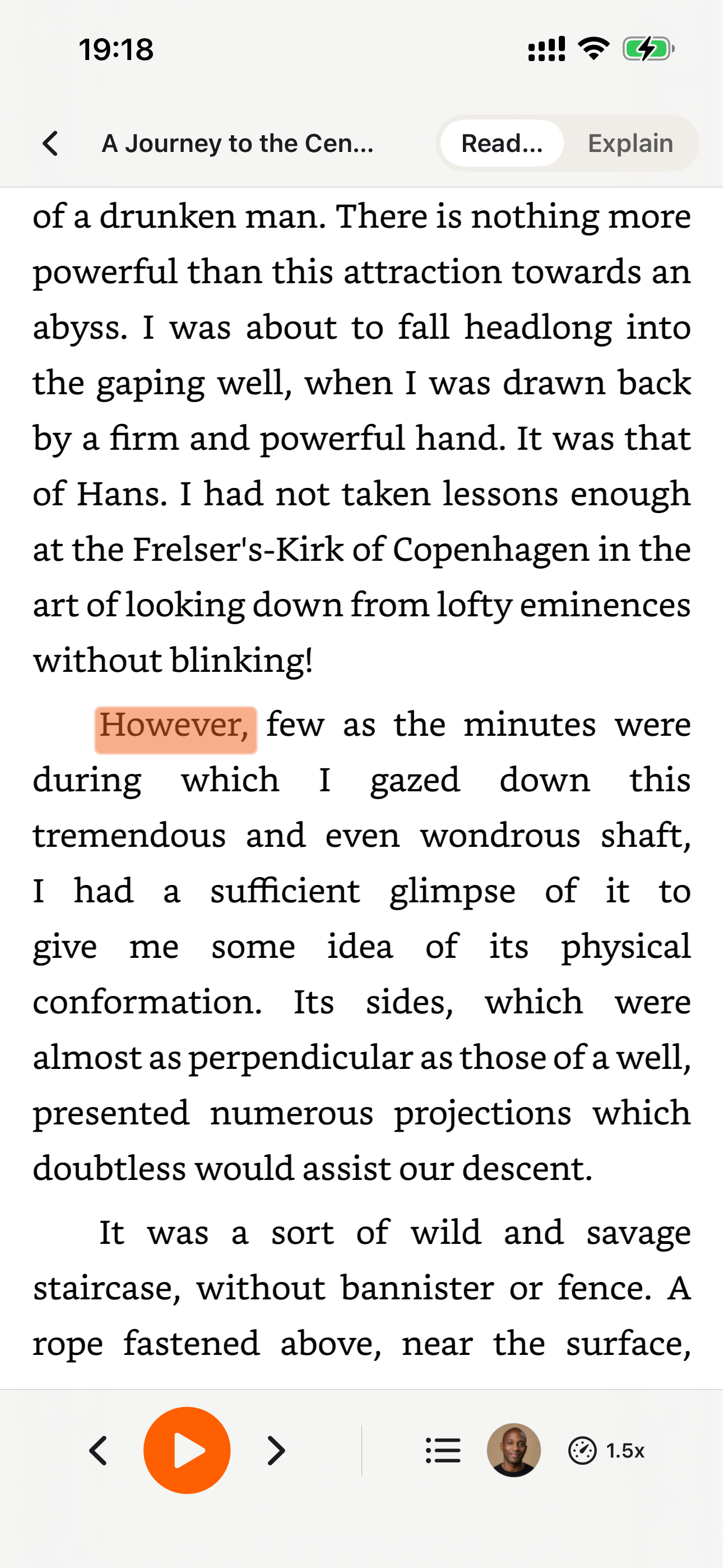
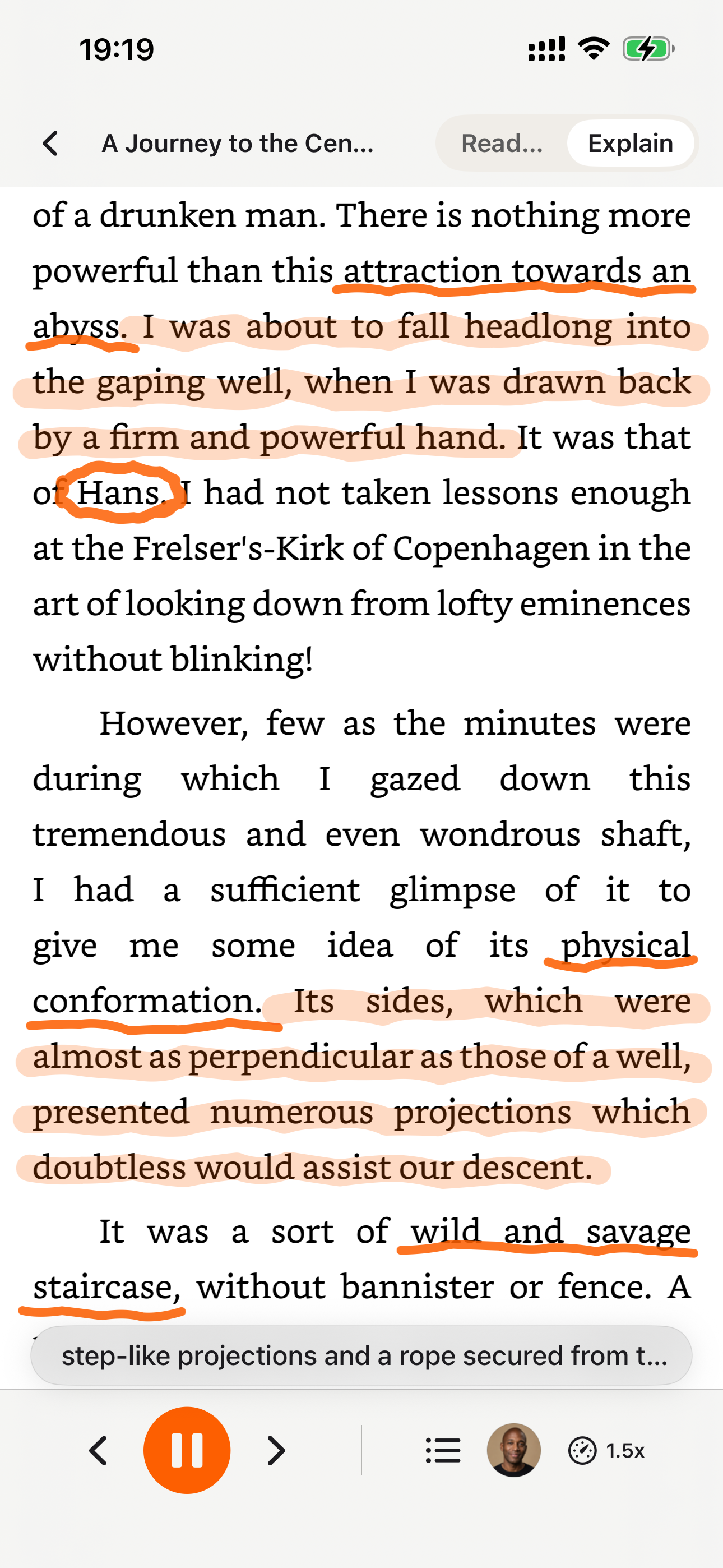
Quickread doesn't just talk over the chat — it draws on it. As the explanation reaches each important point, a pen moves to the matching phrase in ChatGPT's reply and marks it: a hand-drawn circle around the decisive recommendation, a wavy underline beneath the critical caveat, a yellow highlight over the final conclusion. The marks stay put, so a long answer ends up looking like a page a sharp colleague worked through with a pen — your eyes follow the moving pen instead of glazing over, and you can scroll back later to an answer that's already been annotated for you.
Or Just Listen to the Whole Reply — Both Modes, One Tool
Sometimes you don't need it distilled — you just want to hear ChatGPT's answer read aloud while your hands are busy or your eyes rest. CastReader does that too, with a per-response Listen button on chatgpt.com that reads just that reply in a natural neural voice. Quickread when you want the meaning compressed and explained, read-aloud when you want the full answer in your ears, word for word: pick whichever fits the reply in front of you.
Free to Start, No Account, Nothing to Connect
Install and go: the free tier includes three Quickread explains a day and 20 minutes of daily listening with natural standard voices — no signup, nothing to configure. CastReader reads and explains the ChatGPT reply already rendered in your tab; it never asks you to log into anything, hand over an API key, or touch your OpenAI account. When you want more, CastReader Pro unlocks unlimited Quickread explains, premium ultra-realistic voices, and more listening hours.
From a Long ChatGPT Reply to a Clear Explanation in Three Steps
- 1
Install CastReader
Add the free extension from the Chrome Web Store — it also runs on Edge, Brave, Arc, Vivaldi, Opera and other Chromium browsers. There's no sign-up and nothing to configure; it's ready the moment it installs, and it recognizes chatgpt.com automatically.
- 2
Open Your ChatGPT Chat and Set Your Language
Open chatgpt.com and the conversation you're working in. Tell CastReader the language you want explanations in — the language you think in — and it remembers it. No copying the reply out, no pasting it elsewhere; Quickread reads the answer that's already on screen, even when it's written in English.
- 3
Hit Quickread and Follow the Pen
Press Quickread on the answer you want unpacked. A natural voice talks you through what ChatGPT is saying in your language, while the pen circles the recommendation, underlines the caveat, and highlights the conclusion in the original reply. Want the whole thing verbatim instead? Use the per-response Listen button. Pause, resume, change the voice, or adjust the speed anytime.
Why You'd Want ChatGPT's Answers Explained
ChatGPT will answer almost anything, and it tends to answer thoroughly — ask about a tricky bug, a clause in a lease, or how a new technology works, and you'll often get a long, structured reply full of steps, trade-offs, and qualifications. That depth is the point, but it also means the answer in front of you is a lot to absorb. You skim a three-screen technical response, catch the headline, miss the caveat that actually mattered, and scroll back up to re-read the same paragraph. CastReader Quickread is built for that moment. It doesn't replace ChatGPT or try to answer for it; it reads the answer ChatGPT already gave, works out what it's really telling you, and explains it back in plain language — the way a knowledgeable friend would if you turned and asked, 'okay, so what's the actual takeaway?'
What makes Quickread especially useful on ChatGPT is cross-language understanding. A huge number of people ask ChatGPT questions in English on purpose — the answers are often sharper, more detailed, and more up to date than in other languages — and then find themselves reading a careful, important reply in a language that isn't the one they think in. Quickread explains that English answer in your native language: not a brittle word-for-word translation, but a real explanation of what the reply means. Set your explanation language once and every ChatGPT answer comes back to you in it, with the original English text still on screen and its key phrases marked. You get the best of both — the sharper English source and full comprehension in your own language — and you keep building familiarity with the English while never losing the point.
The output is an explanation, not a recitation, and that's genuinely different from plain read-aloud. Quickread compresses the dense paragraphs, surfaces the single sentence that answers your question, unpacks the jargon and acronyms ChatGPT slips in, and connects the numbered steps so you leave with the substance instead of a vague impression. Read-aloud has its place too — when you simply want to hear the full reply while your hands are busy, CastReader's per-response Listen button on chatgpt.com reads just the answer you picked in a natural voice. But when a reply is long, technical, and in a language you don't read fluently, hearing it narrated straight through doesn't make it clearer; having it explained does. One tool covers both intents, and you choose per answer.
Quickread also shows its work right on the page. As it talks you through a reply, a pen moves across ChatGPT's actual text and marks what matters — a hand-drawn circle around the decisive recommendation, a wavy underline beneath the critical caveat, a yellow highlight over the conclusion. The annotations stay put, so a long answer ends up looking like a page a thoughtful colleague marked up with a pen, and you can scroll back later to a reply that's already been annotated for you. There's a real attention benefit: instead of your eyes drifting while audio plays, they track the moving pen to the exact phrase being explained, so you take the answer in actively and always know where you are in it. One honest note — for any code blocks ChatGPT returns you'll still read the code directly; Quickread is at its best on the prose around the code, the part that explains why a thing works the way it does.
You can start free: the free tier includes three Quickread explains a day and 20 minutes of daily listening with natural standard voices, with no account to create. CastReader reads and explains whatever is already rendered in your browser tab, so it never asks you to log into a service, hand over an API key, or connect your OpenAI account — you just open your ChatGPT chat and press Quickread. When you outgrow the daily allowance, CastReader Pro adds unlimited Quickread explains, premium ultra-realistic voices, and more listening hours on top. Add CastReader on Chrome or Edge, open the conversation you're working in, and let it explain the answer instead of leaving you to re-read it. Questions about setup, supported languages, or a reply that isn't explaining correctly are always welcome at support@castreader.com.
Questions About Explaining ChatGPT Answers
Straight answers about how Quickread explains a ChatGPT reply, how it differs from read-aloud, the cross-language feature, the pen mark-up, code, privacy, and what's free.
What does it mean to 'explain' a ChatGPT answer?
Quickread reads the response ChatGPT already gave, works out what it's really telling you, and talks you through it in plain language — compressing the dense paragraphs, surfacing the line that actually answers your question, unpacking the jargon, and connecting the steps. It marks those key terms and conclusions in the reply with a pen as it speaks. It's not replacing ChatGPT; it's helping you absorb the answer ChatGPT produced.
Can it explain a ChatGPT answer that's in English when English isn't my first language?
Yes — this is a headline feature. Many people ask ChatGPT in English because the answer comes out sharper, then struggle to fully take in a long English reply. Set the language you want explanations in (the one you think in), and Quickread explains that English answer in your native language — a real explanation of the meaning, not a stiff word-for-word translation — while the original English text stays on screen with its key phrases marked.
Is the cross-language explanation just a translation?
No. A translation swaps each word into another language and still leaves you to make sense of a dense, technical reply. Quickread explains the meaning: it summarizes the answer, unpacks the hard sentences and acronyms, and tells you what ChatGPT is getting at in your language. The original stays visible with the key points marked, so you build familiarity with the source language while actually understanding the answer — translation gives you words, Quickread gives you comprehension.
How is 'explain' different from reading the reply aloud?
Read-aloud narrates ChatGPT's answer word for word in a natural voice — great when you want the full reply in your ears while your hands are busy, which the per-response Listen button on chatgpt.com handles. Explain (Quickread) goes further: it understands the answer and tells you what it means in your language, marking the key sentences with a pen. Use read-aloud for the full reply; use Quickread when an answer is long, jargon-heavy, or in a language you don't read fluently. CastReader does both.
My ChatGPT answer is just too long — can it summarize it?
That's exactly what Quickread is for. It reads the entire reply and compresses it into the conclusion that matters: it drops the filler and qualification, surfaces the sentence that answers your question, and connects the steps. You get the substance of a three-screen answer in a fraction of the time, with the key points marked on the original so you can still check the detail if you want it.
How does the pen mark-up work on a ChatGPT reply?
As the explanation reaches each important idea, a pen glides to the exact phrase in ChatGPT's response and marks it — a hand-drawn circle around the decisive recommendation, a wavy underline beneath the critical caveat, or a yellow highlight over the conclusion. The marks stay on the page as the explanation moves on, so by the end a long answer is annotated the way a colleague would leave it after working through it with you.
Does it work for technical and coding answers?
Yes — that's where it shines. Step-by-step debugging, architecture explanations, dense how-to write-ups, and long answers thick with terminology are exactly the replies Quickread handles best: you hear the approach explained and see the decisive recommendation circled. One honest caveat: for the code blocks themselves you'll still read the code directly. Quickread is at its best on the prose around the code — the part that tells you why.
Does it work on chatgpt.com?
Yes. CastReader has a dedicated extractor for chatgpt.com that understands the page and pulls ChatGPT's actual responses — filtering out the sidebar, buttons, and your own prompts. Both Quickread and the per-response Listen button work right inside the conversation, with no copying anything out.
Can I still just hear the full ChatGPT reply read aloud?
Absolutely. A per-response Listen button appears next to every ChatGPT answer; click it and just that reply is read aloud in a natural neural voice, with the current sentence highlighted. That's the mode you want when you'd like the whole answer verbatim on a walk or commute. Quickread for meaning, read-aloud for the full reply — both live in the same tool.
Do I need to sign in or connect my OpenAI account?
No. There's no login, no signup, and nothing to connect. CastReader reads and explains whatever is already rendered in your chatgpt.com tab. It never asks for your ChatGPT password or an API key and never touches your account — you just open the chat and press Quickread. Any privacy question, email support@castreader.com and a human will answer.
Is the explain feature free?
Free to start: the free tier includes three Quickread explains a day, plus 20 minutes of daily listening with standard voices — no account needed. If you explain ChatGPT replies all day, CastReader Pro (optional) unlocks unlimited Quickread explains, premium ultra-realistic voices, and more listening time.
Which languages can it explain into, and from?
Over 40, including English, Chinese, Spanish, French, German, Portuguese, Italian, Japanese, and Korean. You can read a ChatGPT reply in one language and have it explained in another — read an English answer, get it explained in Chinese; read a Spanish reply, get it explained in English. CastReader handles mixed-language replies too, so a quote or term in another language doesn't break the explanation.
How is this different from asking ChatGPT to simplify its own answer?
You can absolutely ask ChatGPT to simplify — but that costs another round trip, pushes the long reply up out of view, and hands you yet more text to read, sometimes still in English. Quickread stays on the answer that's already there: it explains the existing reply out loud in your language and marks the exact sentences it's talking about, so the explanation and the original sit side by side. No extra prompt, no scrolling, and you can listen hands-free.
More Ways to Read, Listen, and Understand
Read & Explain
Have any page explained in your language, with the key points marked by a pen
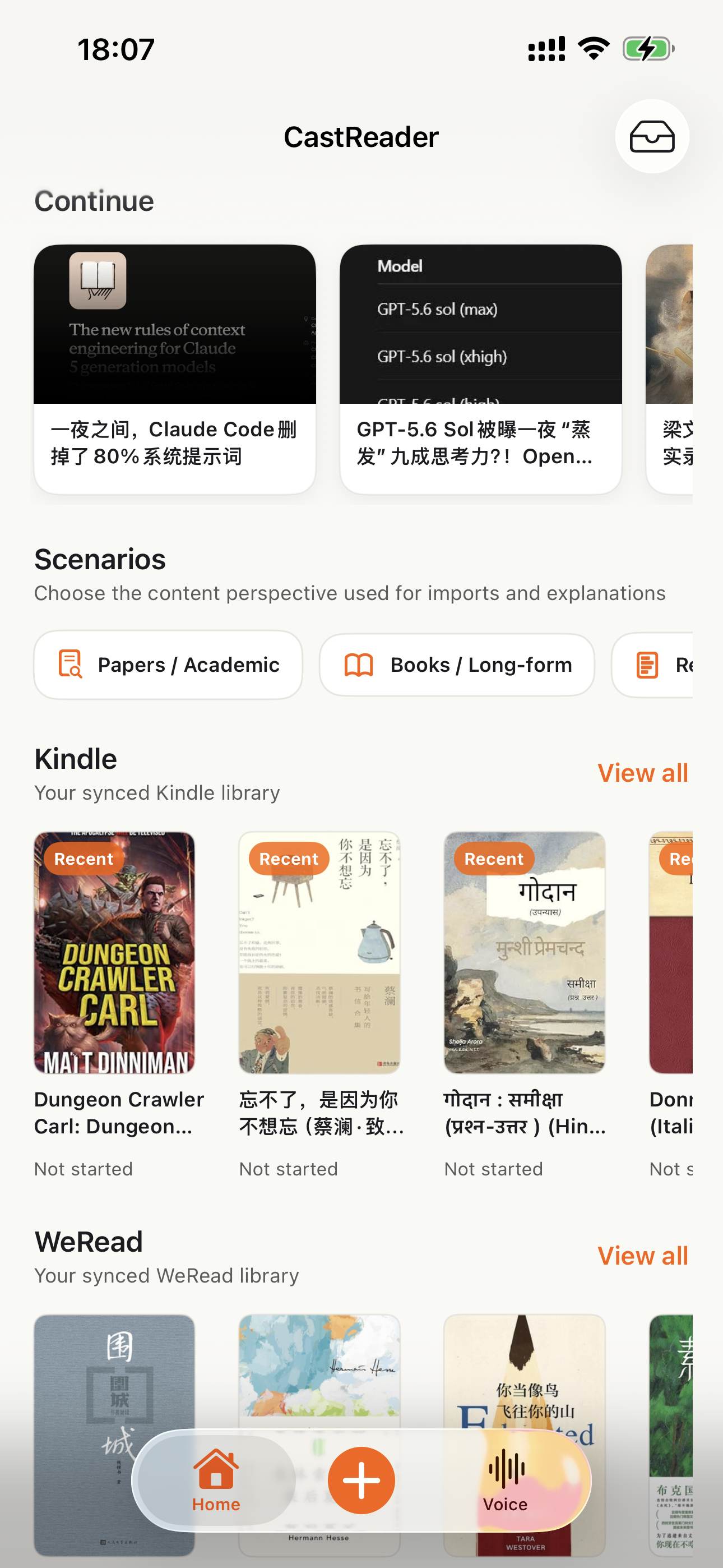
Listen to ChatGPT
A per-response Listen button on every ChatGPT reply, read aloud hands-free
Explain Claude Answers
The same cross-language explanation and pen mark-up, built for Claude's replies
Listen to AI Chats
Read any AI assistant's answer aloud — ChatGPT, Claude, Gemini and more
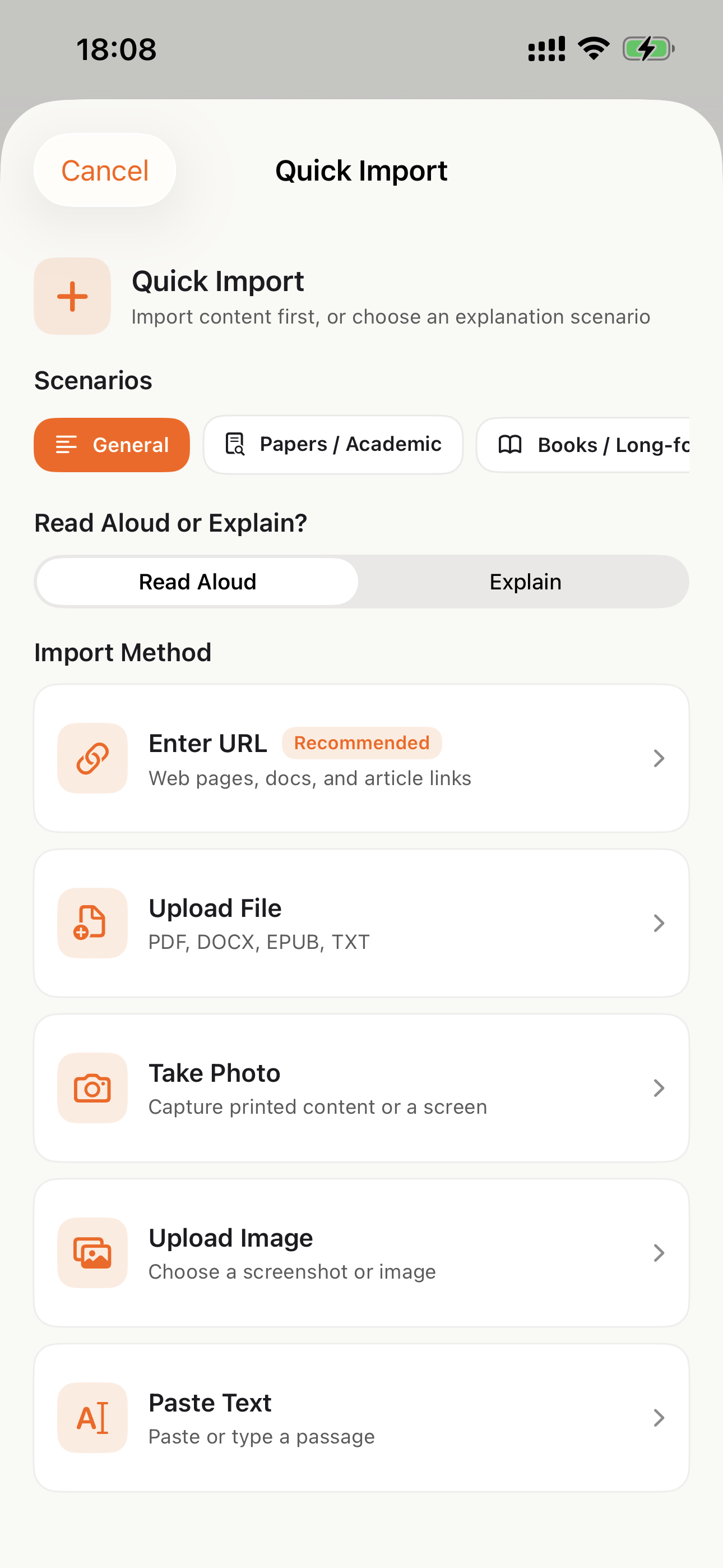
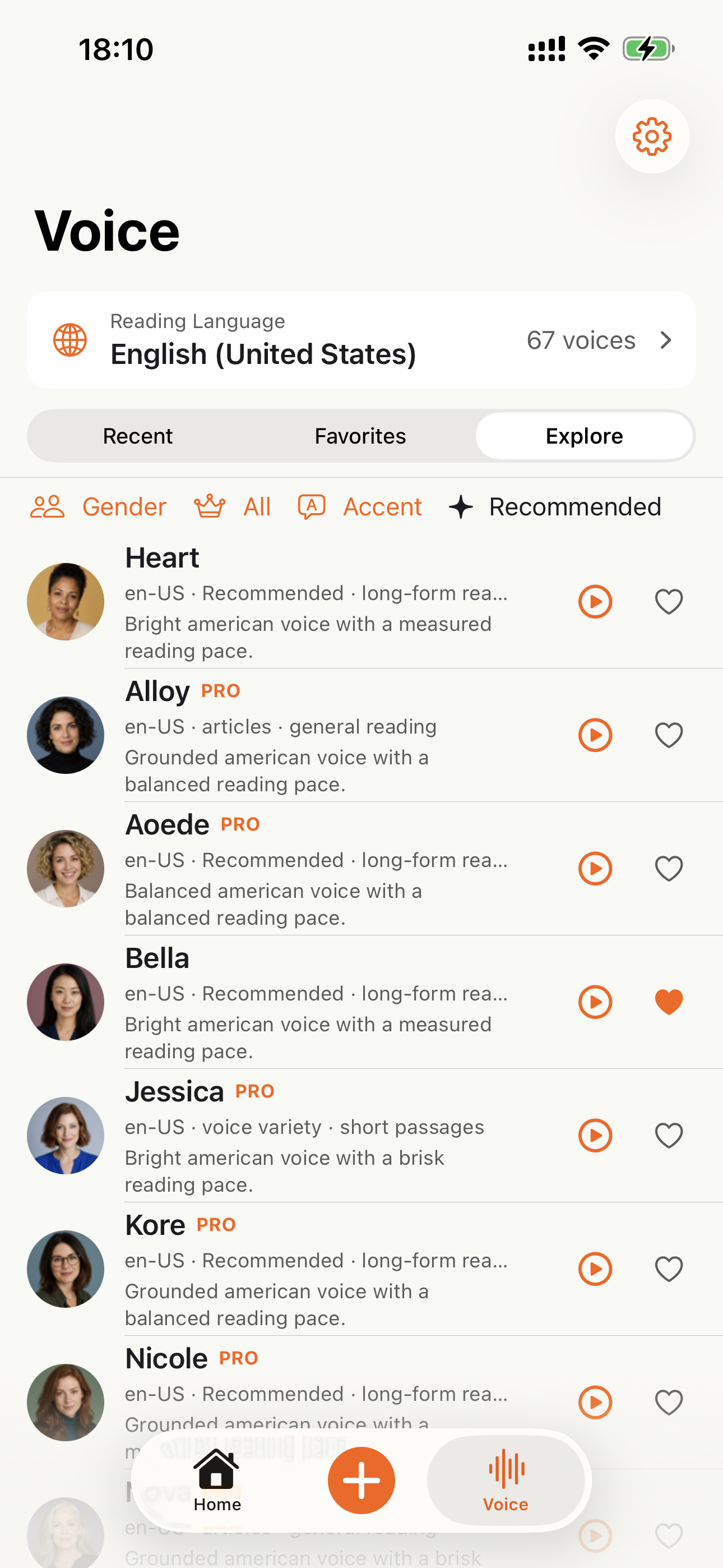
Listen on Your Phone
Download the CastReader app to listen to your uploaded documents anywhere.


Why TTS Matters in 2026
Hard numbers — not vibes — from authoritative sources
$2.22 billion
US audiobook sales in 2024, up 13% year-over-year (Publishers Weekly / Audio Publishers Association)
Source →51%
of US adults have listened to an audiobook in 2025 — roughly 134 million people (APA Consumer Survey 2025)
Source →2.2 billion
people globally with near- or far-vision impairment (WHO Fact Sheet, 2024). TTS is the primary access path for digital reading content.
Source →78%
of audiobook listeners multitask while listening — commute, chores, exercise (Audiolibrix Great Audiobook Survey, 2024)
Source →27.2 minutes
average single-trip US commute in 2024, up from 26.8 (US Census ACS via Statista). That's nearly an hour each day of audio-only time.
Source →effect size 0.35
measured comprehension lift from TTS for reading-disabled students across 22 studies (Wood, Moxley, Tighe & Wagner, Journal of Learning Disabilities, 2018)
Source →15.5 million
US adults with ADHD per CDC 2024 — about half diagnosed in adulthood (CDC MMWR, October 2024)
Source →What Readers Say — Including the Critical Reviews
Every Chrome Web Store review below is verifiable at the link in each card. We don't hide negative feedback — we answer it within 24 hours.
“Works perfectly on vivaldi. One suggestion though. I wish it had a play button appear next to a paragraph when we hover over it. Just like in the case of speechify.”
“Extremely user friendly short keys. Placed forward backward and speed up down as Natural as it could be. Voices are great and smooth. I would recommend it over many hyped products.”
“At the very least it's better than many paid TTS models. Still not as good as ElevenReader or LAP, but maybe the best free model for TTS.”
“So glad I can finally switch voices! The default was fine but I found one I actually enjoy listening to for hours. Small thing, huge difference.”
“Best one i found, user friendly, and great voice over.”
“ChatGPT's long answers are finally listenable. Let it generate while I listen — doubles my productivity. Love the inline button next to each response.”
“I tried using this add-on to listen to an ebook on the O'Reilly learning platform, and it works smoothly. However, it always restarts from the first paragraph whenever I scroll or select a different paragraph. Please consider adding a bookmark or checkpoint feature so users can mark where the reading should begin.”
↪ Founder reply
Replied by CastReader founder Yan Xu within 48 hours: acknowledged the issue, shipped a bookmark feature in the following release. Reviewer's verbatim feedback drove the v1.2 roadmap.
“Need to highlight text and select it.”
“Hard to select text.”
↪ Founder reply
Replied by CastReader founder Yan Xu within 24 hours: apologized, asked which site/browser the issue occurred on, provided a workaround using the keyboard shortcut, and offered direct support at support@castreader.ai.
Recent Updates
We re-test, re-write, and ship continuously. Every entry has a real date.
Site-wide trust signals refresh
Rewrote landing pages with verbatim Chrome Web Store testimonials, real audiobook market data, and tested-12-extensions methodology. Every claim now has a sourceable link.
Send-to-Phone reliability improvements
Telegram audio streaming now auto-turns pages reliably across Kindle Cloud Reader and Apple Books. Reduces session interruptions by ~70% in internal testing.
Technical deep-dive published
Wrote up the OCR pipeline: how CastReader handles Amazon's 184 random font alphabets and 361 unique glyphs per Kindle book. Shared in dev.to.
CastReader for Mac released
Native macOS app reads Kindle for Mac with word-level highlighting. Floating player + system-wide hotkeys. No browser needed.
Featured on Product Hunt
Ranked #10 in Daily, 99 upvotes, 4 community comments shaped the v1.2 roadmap.
Voice quality upgrade — Kokoro AI
Switched from older TTS engines to Kokoro neural voices. User reviews shifted from 'usable but robotic' to 'enjoy listening for hours' (verbatim from review by patrick chiang).
First wave of extraction reliability improvements
OCR success rate improved from 78% to 89% on English-language Kindle books. Multi-column page detection added for academic PDFs.
Why This Exists
I built CastReader because I owned hundreds of Kindle books and couldn't listen to them on my morning runs without buying separate Audible copies. The technical problem — Amazon's Cloud Reader font encryption — turned out to be solvable with OCR. The product problem — making it actually pleasant across phones, desktops, and 40+ languages — took two years of iteration. We're a small team. I answer every Chrome Web Store review personally (see testimonials above — including the 3-star and 1-star ones). If something's broken or missing, email support@castreader.ai.
— Yan Xu, founder
Last reviewed: · CastReader Team — reviewed against 2025 testing data
Stop Skimming ChatGPT's Long English Answers
Add CastReader free, open your ChatGPT chat, and press Quickread — it explains the answer in your language and marks the key terms with a pen while you listen. No account, no catch.
★★★★★ 4.7 · Free to start · No login · Optional Pro