Which Kindle Has Text to Speech?

If you are about to buy a Kindle in order to listen to books, read this first. The honest answer is not the one the product pages imply.

Before you buy

Three facts that decide whether an e-ink Kindle can do what you want.

No speaker, no headphone jack

Current e-ink Kindles — Paperwhite, Oasis, Scribe, the basic model — have no speaker and no headphone jack. Any audio at all has to go out over Bluetooth to a speaker or headphones you pair yourself. There is no built-in way to just press play and hear something.

VoiceView is a screen reader, not a book player

VoiceView was built for blind and low-vision readers. It speaks the interface as well as the book: menu items, buttons, positions. It is a genuinely good accessibility tool and a frustrating audiobook substitute, because it was never meant to be one.

Six languages, and Chinese is not one

VoiceView over Bluetooth is available in English, French, German, Italian, Portuguese and Spanish. That is the complete list. If you read in Chinese, Japanese, Korean, Arabic or anything else, the e-ink route does not work for you at all.

Why e-ink Kindles are the wrong tool for listening

The question "which Kindle has text to speech" carries a hidden assumption — that some model in the lineup does the thing properly, and you just have to pick the right one. It is worth saying plainly: for reading books aloud in a way that feels like an audiobook, no current e-ink Kindle is a good answer. Not the Paperwhite, not the Oasis, not the Scribe, not the basic model.

The hardware sets the ceiling. Modern e-ink Kindles ship without a speaker and without a headphone jack. Every route to audio goes through Bluetooth, which means pairing a speaker or a pair of headphones before you can hear a single word. Older models that predate Bluetooth needed a separate Kindle Audio Adapter, a dongle that plugged into the charging port and has since been discontinued.

Then there is what the feature actually is. VoiceView is a screen reader, in the assistive-technology sense of that term. It was designed so that blind and low-vision readers can operate the whole device by ear, which means it announces interface elements, navigation state and controls alongside the text of your book. That is exactly right for its purpose and quite wrong for someone who simply wants a novel read to them while they cook.

Language is where it stops being a matter of taste. VoiceView over Bluetooth supports six languages: English, French, German, Italian, Portuguese and Spanish. There is no Chinese, no Japanese, no Korean, no Arabic, no Hindi. For a large share of the world’s Kindle readers, the e-ink listening path is simply closed, no matter which model they buy.

The practical consequence is that the best listening experience for Kindle books does not happen on a Kindle at all. It happens in the Kindle app on a phone, tablet or Mac — where Amazon’s own Assistive Reader gives you a real player with synchronized highlighting — or in a browser, where a different approach is needed because Amazon never shipped read-aloud on the web.
Buying questions

What people ask before spending money on the wrong device.

Does the Kindle Paperwhite have text to speech?

Not in the way most buyers mean. The Paperwhite has no speaker and no headphone jack. It supports VoiceView, a screen reader, over Bluetooth — so you need paired Bluetooth headphones or a speaker, and what you get reads the interface as well as the book.

Does the Kindle Oasis or Scribe read books aloud?

Same answer as the Paperwhite. The audio path on every current e-ink Kindle is VoiceView over Bluetooth, which is an accessibility screen reader rather than an audiobook player.

Which Kindle should I buy if I mainly want to listen?

Probably none of them. The Kindle app on a phone, tablet or Mac has Assistive Reader, Amazon’s built-in read-aloud with synchronized highlighting, and it costs nothing extra. An e-ink Kindle is the better device for reading and the worse device for listening.

Does VoiceView support Chinese or Japanese?

No. VoiceView over Bluetooth supports English, French, German, Italian, Portuguese and Spanish only. Readers in other languages get no e-ink listening option at all.

Why did Kindle used to have text to speech?

Early Kindle hardware did include speakers and a text-to-speech feature. It became contentious with publishers and rights holders, and later hardware generations dropped speakers and the headphone jack entirely. Today the audio story on e-ink devices is VoiceView over Bluetooth.

Listen on Your Phone

Download the CastReader app for DRM-free EPUB import and supported mobile reading workflows.

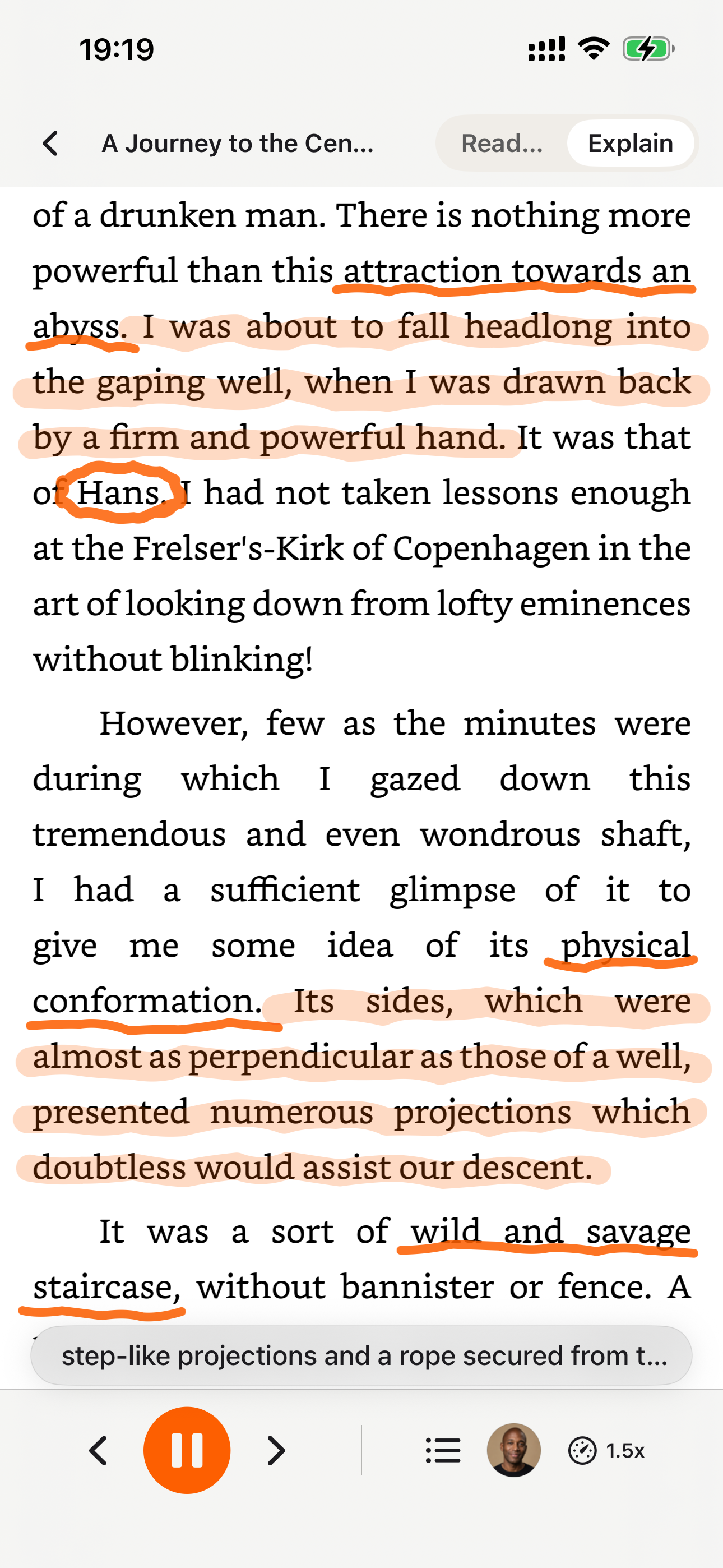
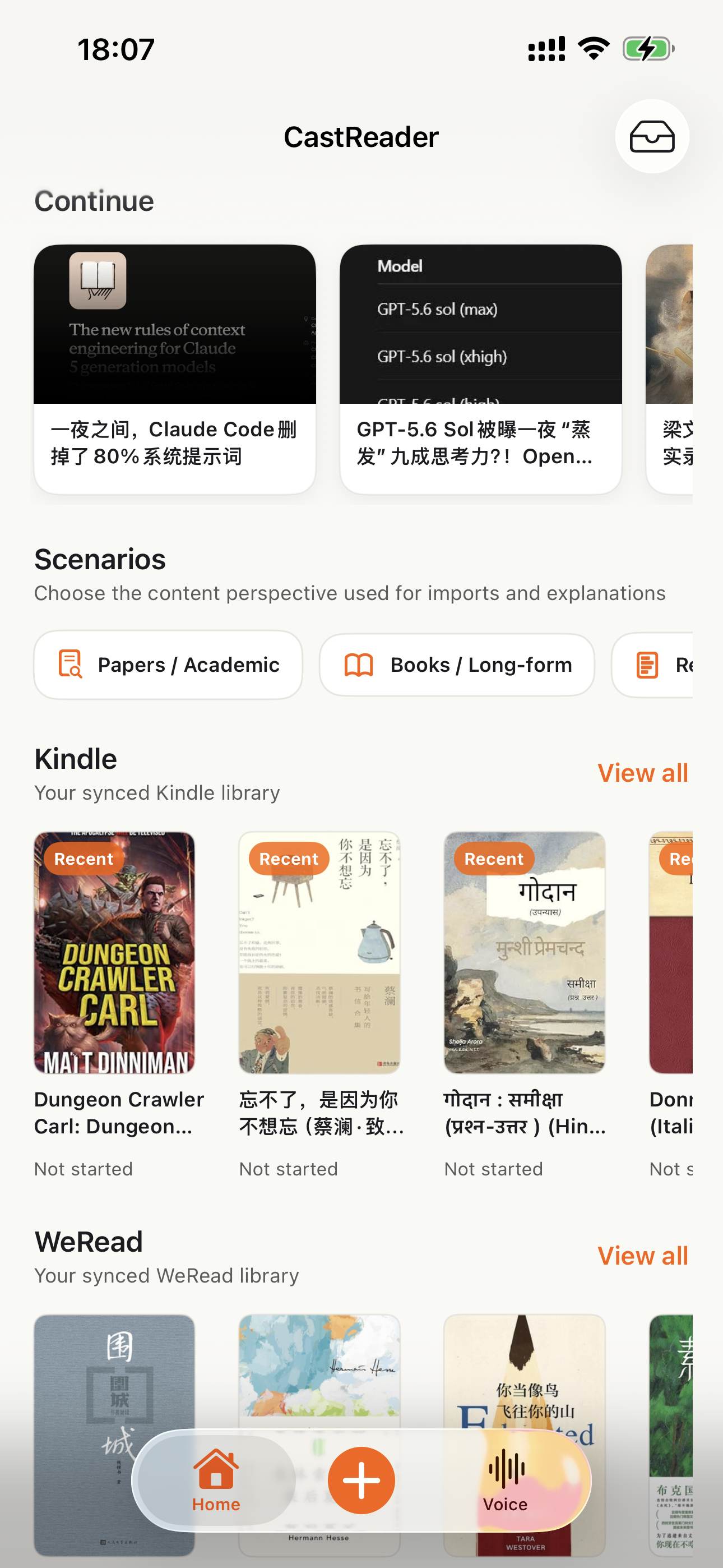
CastReader mobile library with Kindle and reading sources
CastReader reading aloud with synchronized highlighting
CastReader AI explanation of reading content
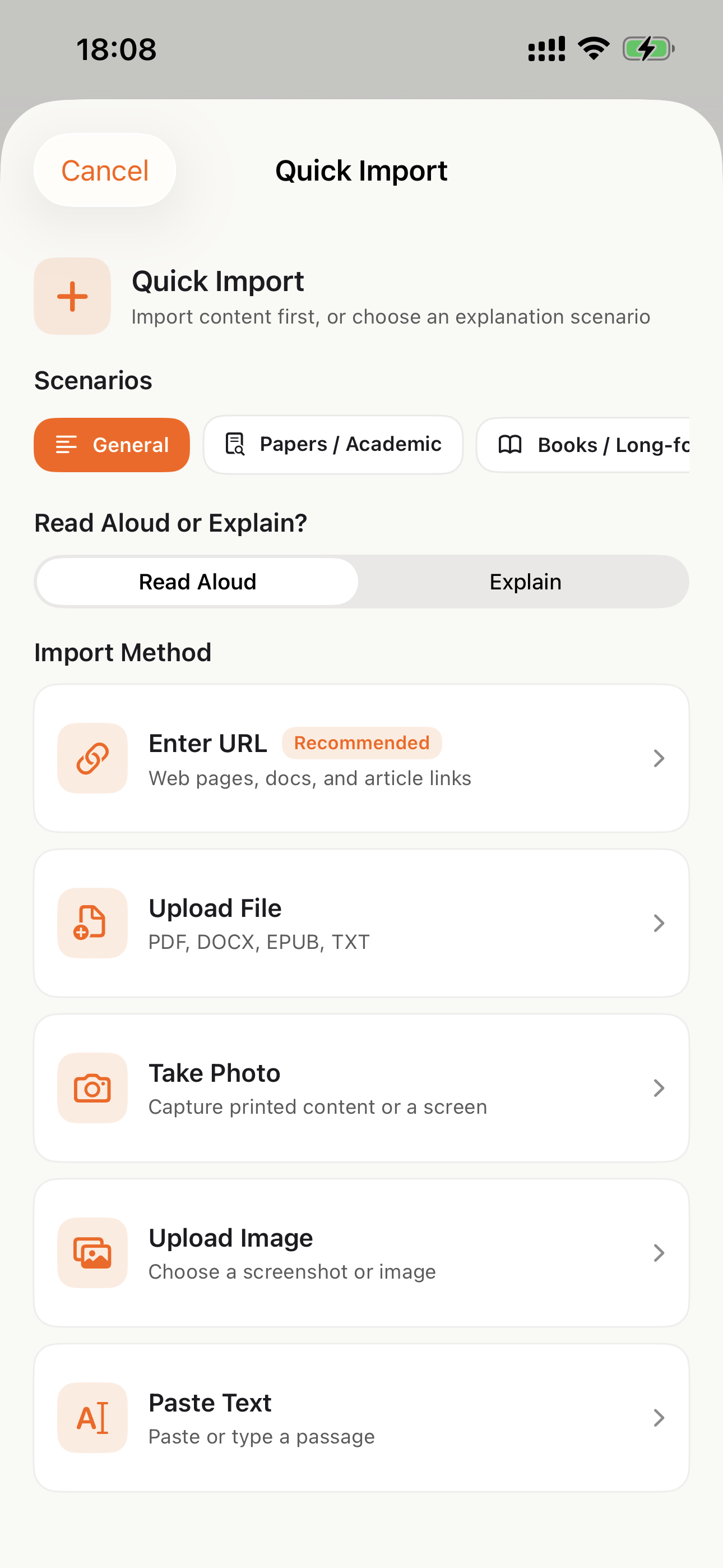
CastReader import options for books, documents, and webpages
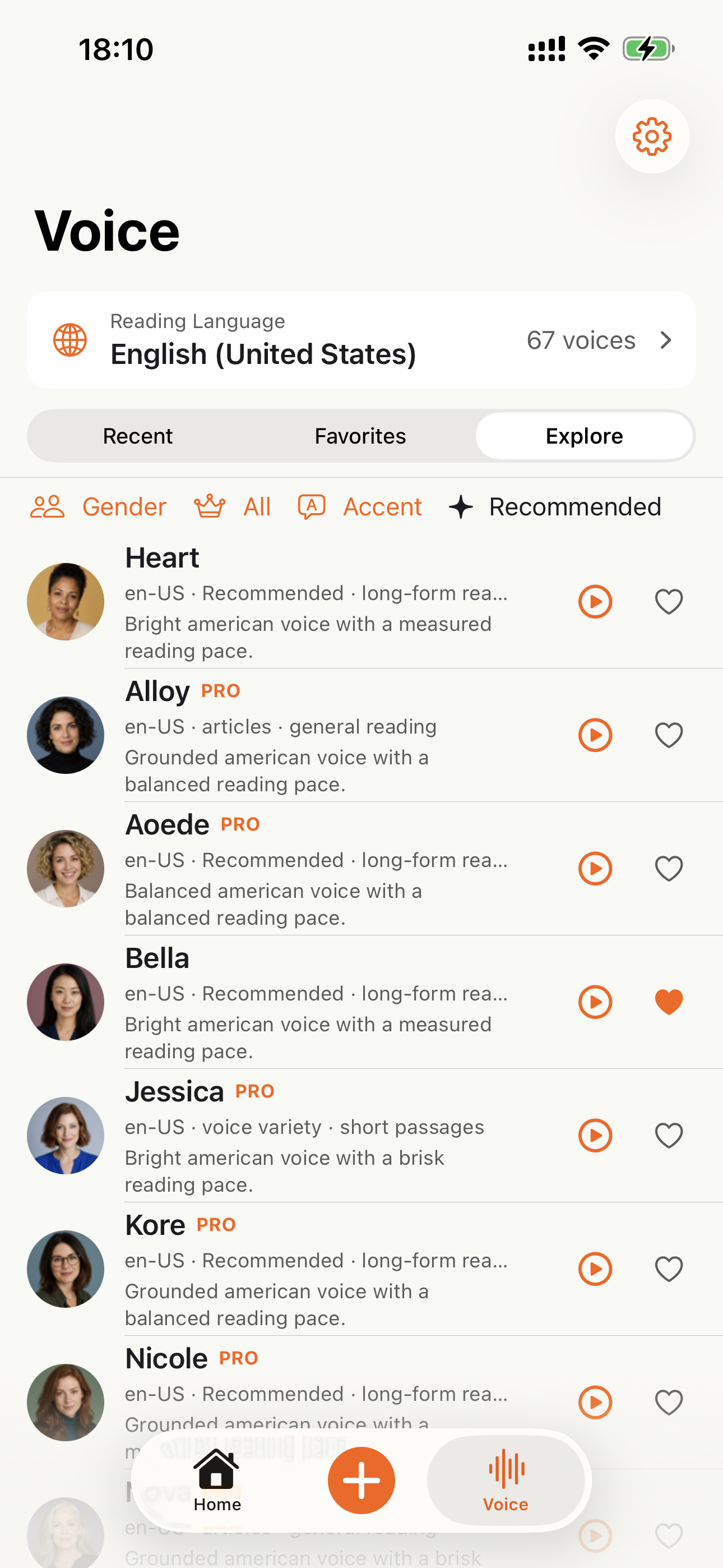
CastReader voice selection for read aloud playback

Why TTS Matters in 2026

Hard numbers — not vibes — from authoritative sources

$2.22 billion

US audiobook sales in 2024, up 13% year-over-year (Publishers Weekly / Audio Publishers Association)

Source →

51%

of US adults have listened to an audiobook in 2025 — roughly 134 million people (APA Consumer Survey 2025)

Source →

2.2 billion

people globally with near- or far-vision impairment (WHO Fact Sheet, 2024). TTS is the primary access path for digital reading content.

Source →

78%

of audiobook listeners multitask while listening — commute, chores, exercise (Audiolibrix Great Audiobook Survey, 2024)

Source →

27.2 minutes

average single-trip US commute in 2024, up from 26.8 (US Census ACS via Statista). That's nearly an hour each day of audio-only time.

Source →

effect size 0.35

measured comprehension lift from TTS for reading-disabled students across 22 studies (Wood, Moxley, Tighe & Wagner, Journal of Learning Disabilities, 2018)

Source →

15.5 million

US adults with ADHD per CDC 2024 — about half diagnosed in adulthood (CDC MMWR, October 2024)

Source →

What Readers Say — Including the Critical Reviews

Every Chrome Web Store review below is verifiable at the link in each card. We don't hide negative feedback — we answer it within 24 hours.

★★★★★
This is 1 of the best TTS and its smooth. If this is truly free i'll keep this 100%. Every other TTS says its free but has a secret. They interrupt or they just say better ai voices pay. But i like this voice. I've tried loads and this is 1 of the best ones that actually says free.
Jordan · Chrome Web Store
★★★★★
Works perfectly on vivaldi. One suggestion though. I wish it had a play button appear next to a paragraph when we hover over it. Just like in the case of speechify.
Loic COBBINA · Chrome Web Store
★★★★★
Extremely user friendly short keys. Placed forward backward and speed up down as Natural as it could be. Voices are great and smooth. I would recommend it over many hyped products.
grann tosif · Chrome Web Store
★★★★★
At the very least it's better than many paid TTS models. Still not as good as ElevenReader or LAP, but maybe the best free model for TTS.
eclpse_ · Chrome Web Store
★★★★★
So glad I can finally switch voices! The default was fine but I found one I actually enjoy listening to for hours. Small thing, huge difference.
patrick chiang · Chrome Web Store
★★★★★
Best one i found, user friendly, and great voice over.
Mohab A · Chrome Web Store
★★★★★
ChatGPT's long answers are finally listenable. Let it generate while I listen — doubles my productivity. Love the inline button next to each response.
young D · Chrome Web Store
★★★★★
I tried using this add-on to listen to an ebook on the O'Reilly learning platform, and it works smoothly. However, it always restarts from the first paragraph whenever I scroll or select a different paragraph. Please consider adding a bookmark or checkpoint feature so users can mark where the reading should begin.

↪ Founder reply

Replied by CastReader founder Yan Xu within 48 hours: acknowledged the issue, shipped a bookmark feature in the following release. Reviewer's verbatim feedback drove the v1.2 roadmap.

Hedi · Chrome Web Store
★★★★
Need to highlight text and select it.
Vivian Le · Chrome Web Store
★★★★
Hard to select text.

↪ Founder reply

Replied by CastReader founder Yan Xu within 24 hours: apologized, asked which site/browser the issue occurred on, provided a workaround using the keyboard shortcut, and offered direct support at support@castreader.com.

David Smolinski · Chrome Web Store

Read all 28 reviews on Chrome Web Store

Recent Updates

We re-test, re-write, and ship continuously. Every entry has a real date.

  1. Site-wide trust signals refresh

    Rewrote landing pages with verbatim Chrome Web Store testimonials, real audiobook market data, and tested-12-extensions methodology. Every claim now has a sourceable link.

  2. Native mobile listening

    CastReader provides native apps for iPhone and Android; Android downloads are available directly from Google Play.

  3. Technical deep-dive published

    Wrote up the OCR pipeline: how CastReader handles Amazon's 184 random font alphabets and 361 unique glyphs per Kindle book. Shared in dev.to.

  4. Mobile Kindle Read Aloud page added

    The phone app flow now has its own landing page for bookshelf sync, Read Aloud, synced highlighting, auto-scroll, background playback, and resume progress.

  5. Featured on Product Hunt

    Ranked #10 in Daily, 99 upvotes, 4 community comments shaped the v1.2 roadmap.

  6. Voice quality upgrade — Kokoro AI

    Switched from older TTS engines to Kokoro neural voices. User reviews shifted from 'usable but robotic' to 'enjoy listening for hours' (verbatim from review by patrick chiang).

  7. First wave of extraction reliability improvements

    OCR success rate improved from 78% to 89% on English-language Kindle books. Multi-column page detection added for academic PDFs.

Why This Exists

I built CastReader because I owned hundreds of Kindle books and couldn't listen to them on my morning runs without buying separate Audible copies. The technical problem — Amazon's Cloud Reader font encryption — turned out to be solvable with OCR. The product problem — making it actually pleasant across phones, desktops, and 9 supported languages — took two years of iteration. We're a small team. I answer every Chrome Web Store review personally (see testimonials above — including the 3-star and 1-star ones). If something's broken or missing, email support@castreader.com.

— Yan Xu, founder

Last reviewed: · CastReader Team — reviewed against 2025 testing data

Already own a Kindle?

You do not need new hardware. See how listening works in the Kindle apps and in the browser.

Browser extensions

For local PDF, DOCX, TXT, Markdown, and images, plus supported webpages and browser-based readers. Local EPUB import is not available.

Mobile apps

For DRM-free EPUBs and mobile reading on iPhone, iPad, and Android.

Any website· Kindle / Google Docs / Notion· DRM-free EPUB on mobile· 9 languages · German included

Official App Store and Google Play downloads · Chrome, Edge, and Firefox extensions

Which Kindle Has Text to Speech? The Honest Answer (2026)