Vertical Japanese → English
Japanese narration becomes horizontal English inside the same two text boxes. The drawing stays visible.
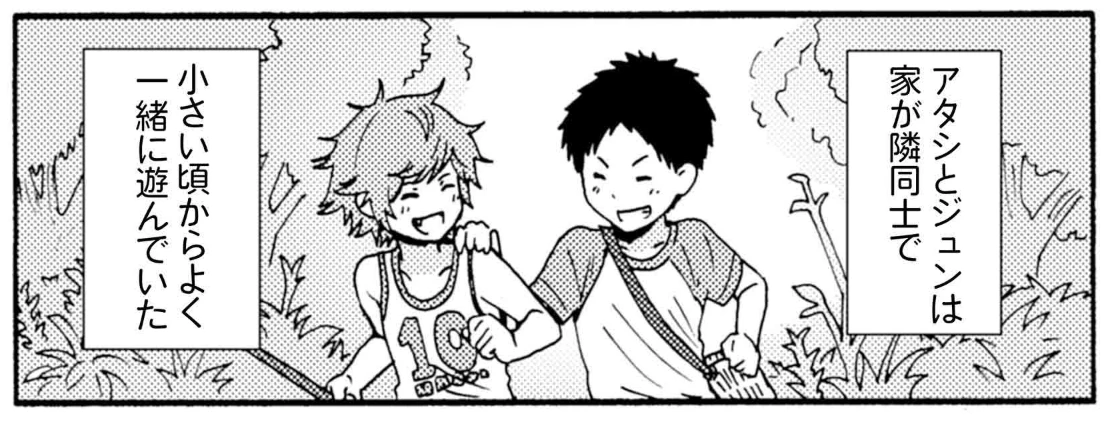
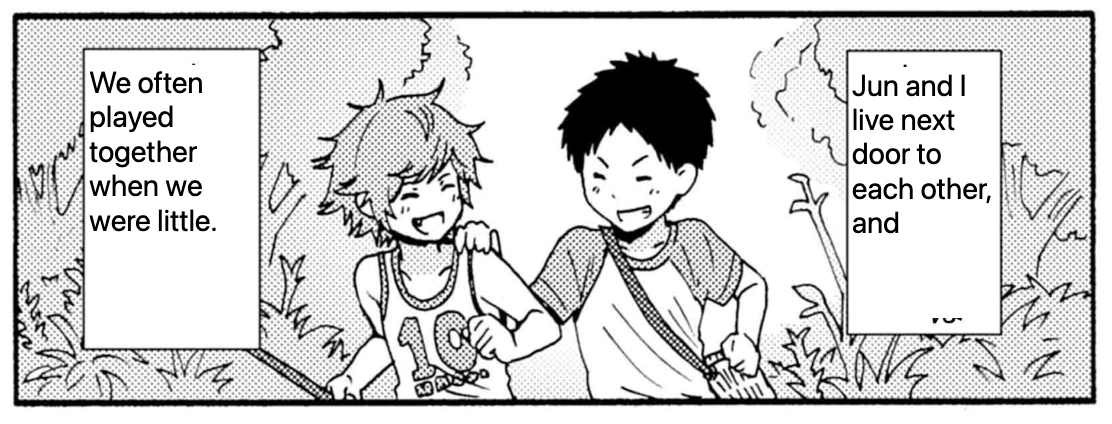
トモちゃんは女の子! · セーラーショック · 柳田史太 · View the chapter on Twi4. Artwork belongs to its respective creators and publishers.
Which site are you reading on? Open its guide for a publisher’s chapter, the reading order to follow, and what happens to the audio when you reach the next drawing.
These English translations were captured in official chapters using the CastReader desktop extension preview. Each pair shows the same panel. Open either image to inspect it at full size.
Japanese narration becomes horizontal English inside the same two text boxes. The drawing stays visible.
トモちゃんは女の子! · セーラーショック · 柳田史太 · View the chapter on Twi4. Artwork belongs to its respective creators and publishers.
The Korean lettering is covered and the English translation appears inside the original bubble.
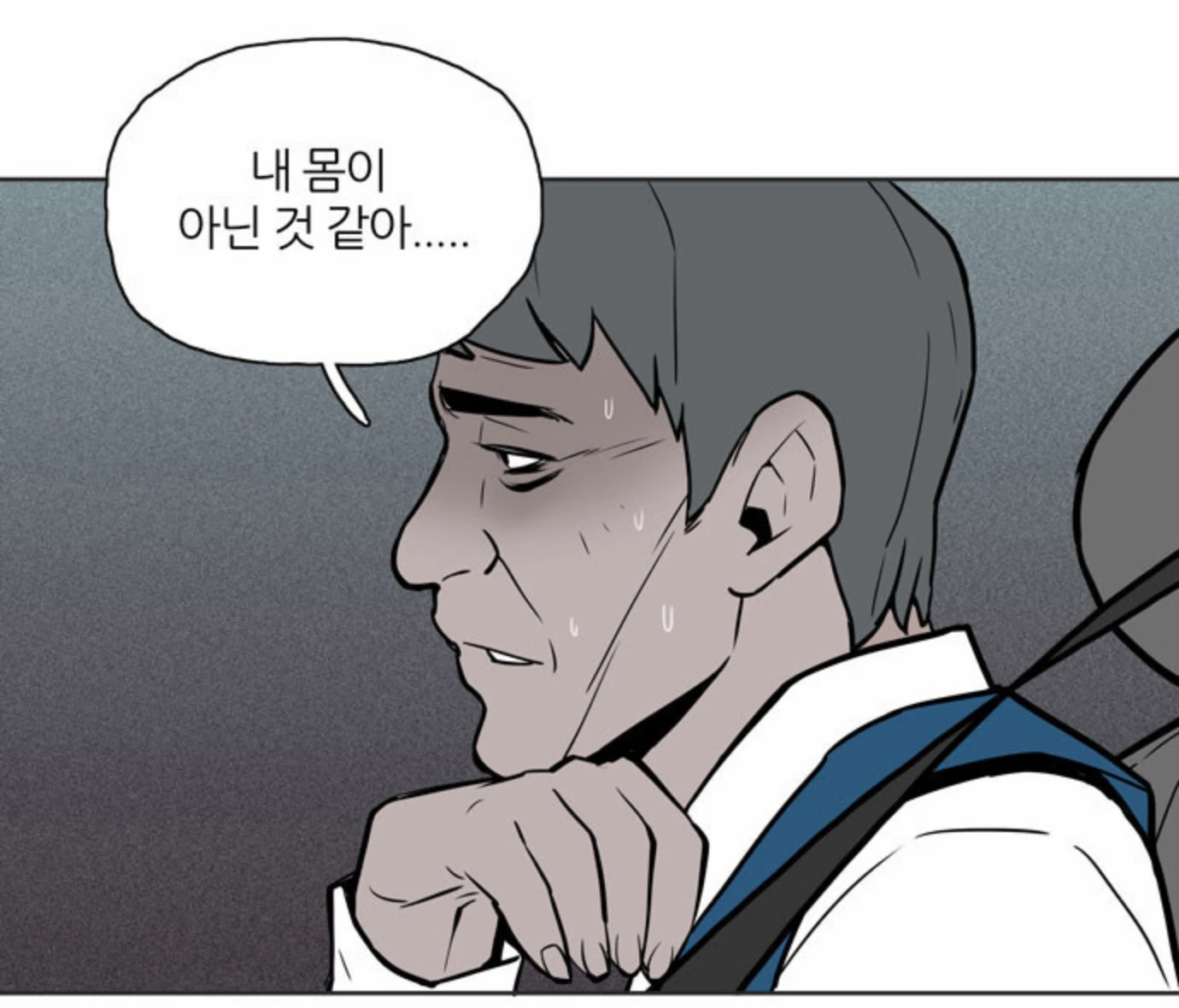
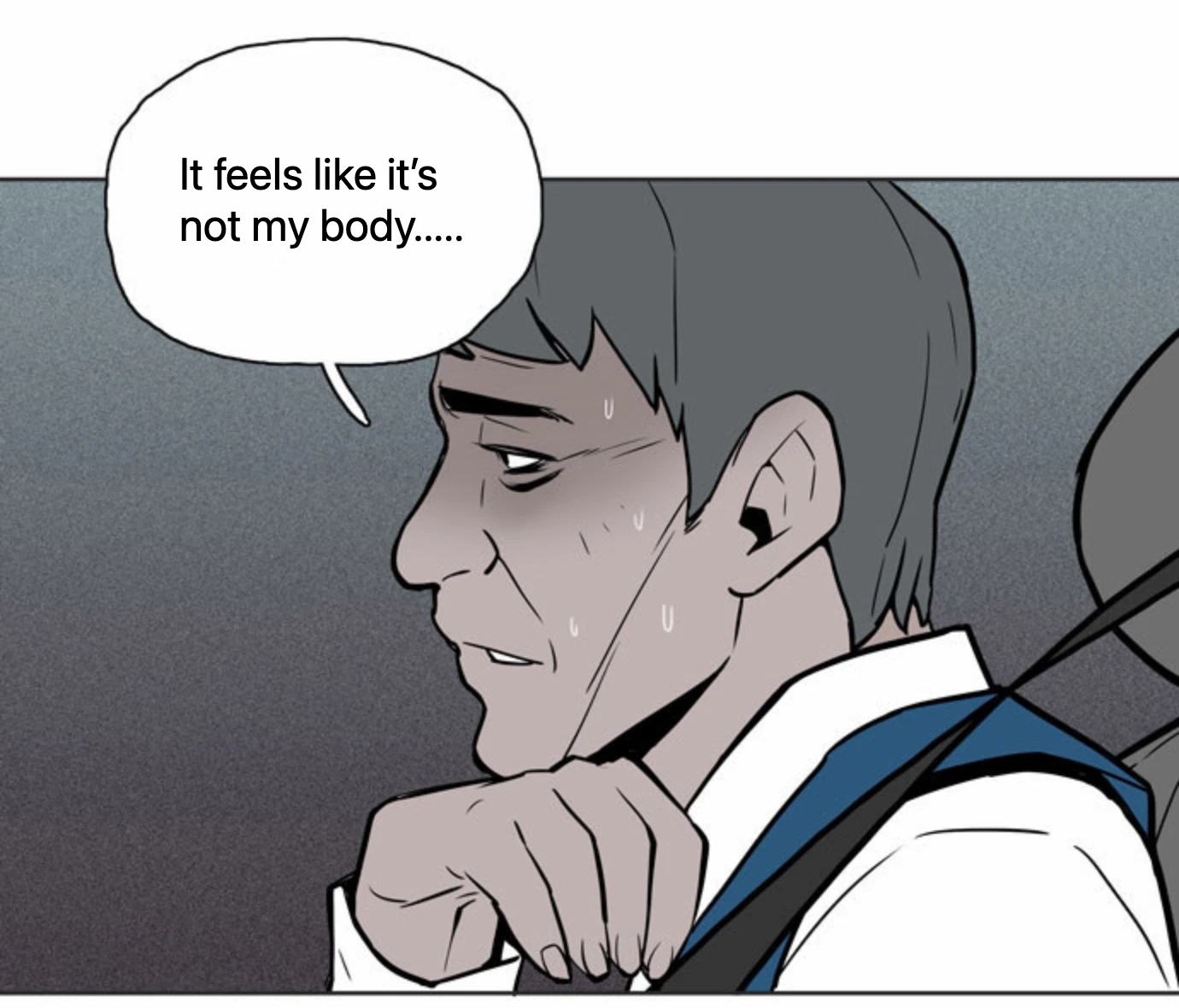
빙의 · #1 귀신에 씌이다 · View the chapter on NAVER WEBTOON. Artwork belongs to its respective creators and publishers.
If you have the CastReader desktop extension preview, open an episode you can access. Right-click the artwork and translate the image. Choose Read translation to listen and follow the highlight. Restore the original image whenever you want to check the lettering. Small type, decorative sound effects and text over drawings can be missed.
For one line, type the dialogue into the text translator