TRANSLATE & LISTEN · PRACTICAL GUIDE
How to translate vertical Japanese manga on Twi4
A vertical bubble can contain two columns of dialogue and a third, much smaller column of pronunciation marks. Reading all three as separate lines can give a character words they never said.
CastReader · Reviewed:
See the translation on a real comic
These English translations were captured in official chapters using the CastReader desktop extension preview. Each pair shows the same panel. Open either image to inspect it at full size.
Vertical Japanese → English
Japanese narration becomes horizontal English inside the same two text boxes. The drawing stays visible.
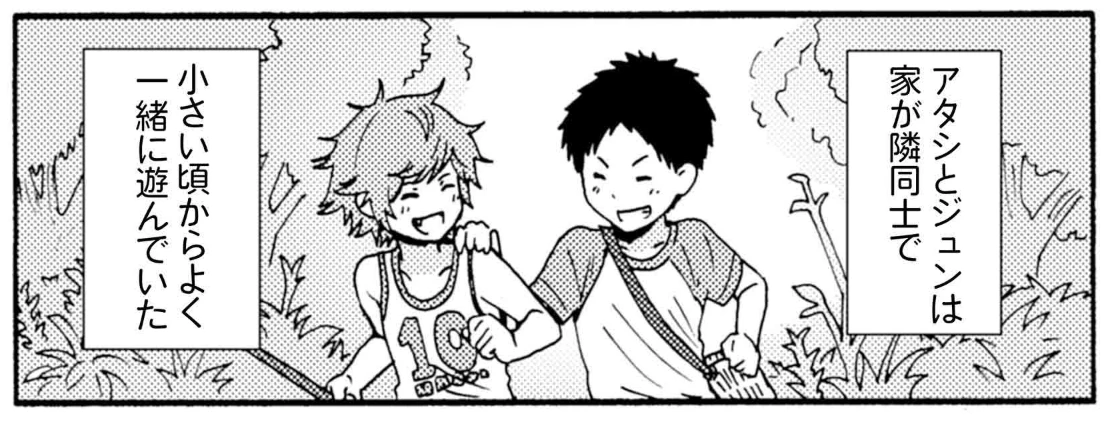
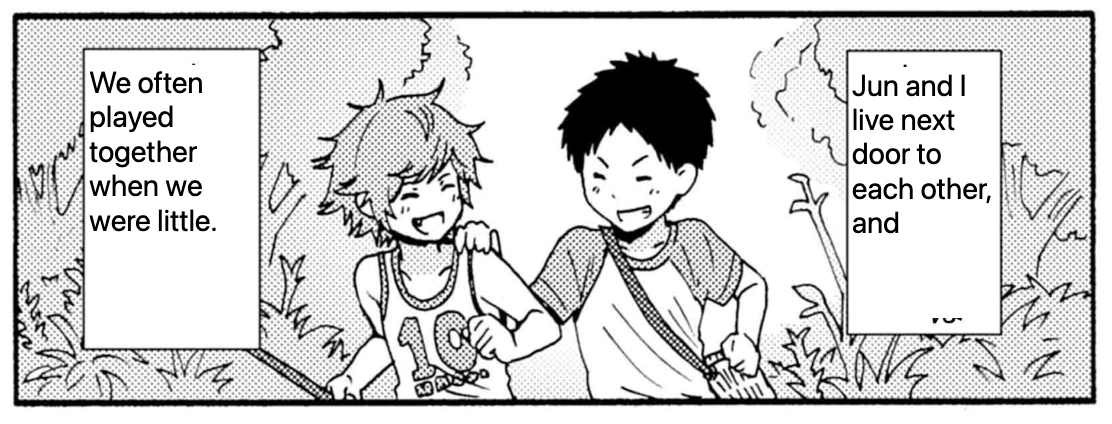
トモちゃんは女の子! · セーラーショック · 柳田史太 · View the chapter on Twi4. Artwork belongs to its respective creators and publishers.
Follow the columns inside one panel
- Open strip 2 and locate a bubble with two vertical columns. Read down the right column, then down the column to its left. Small kana beside a kanji give its pronunciation.
- In the CastReader extension preview, translate the strip image with Japanese as the image language. Compare the first highlighted phrase with the rightmost column.
- Follow the dialogue into the next panel. If a small bubble stays in Japanese, restore the original image and check the words before continuing.
Open Tomo-chan Is a Girl!, strip 2 on Twi4
Try a line of dialogue →What the two strips revealed
In Tomo-chan, all ten detected blocks displayed Chinese, but some small bubbles had been missed entirely. A phrase about two families living next door was rendered as belonging to the same team. A filled bubble alone cannot establish that the translation is accurate.
In Tsuredure Children, one run translated all three detected blocks in strip 2 and began reading strip 3. Another run left two blocks untranslated and took about 26 seconds to resume. Allow for a pause at strip boundaries.
Read Tsuredure Children, strip 2 on Twi4
How to translate and listen to a MANGA Plus chapter →Translate a line of comic dialogue
Load an original practice line or type a bubble from the drawing. Choose your languages, then select Translate to compare the text and listen.
Text translation · Preview
Translate, then hear both sides.
No on-device voice for this language.
No on-device voice for this language.
Checking translation availability…
Open this language-pair page: Japanese → EnglishVoices & privacy
Translate sends your input to CastReader’s translation service. This tool does not save your original or translated text. Clear or leave the page to end the session. Reading uses on-device voices; languages depend on your device and browser, and do not use CastReader AI reading minutes.