WEBPAGES · BROWSER EXTENSION PREVIEW
Stay on the page. Read in your language.
The extension preview translates readable webpage passages in place. For a short passage, copy the text into the tool below and try translating and listening here.
See the same page before and after translation
An original sample webpage, captured in the real extension preview: English → Chinese. Switch between the captures to compare translation and reading highlights.
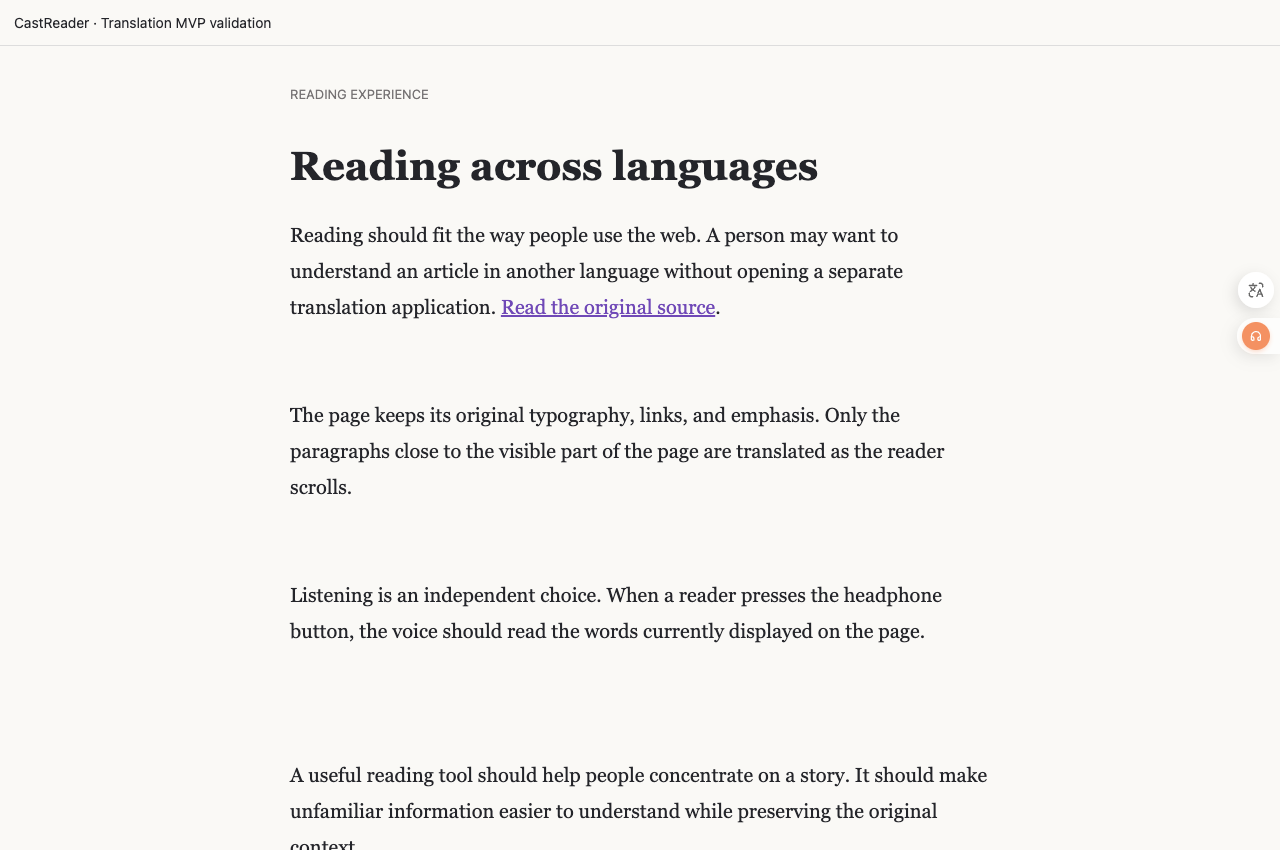
Read the first paragraph from the captures
Reading should fit the way people use the web. A person may want to understand an article in another language without opening a separate translation application. Read the original source.
阅读方式应贴合人们使用网络的习惯。人们可能希望理解另一种语言的文章,而不必打开单独的翻译应用。阅读原文。
Captured from an extension preview on November 2, 2026. Check release notes for availability in the public store version.
Text translation · Preview
Translate, then hear both sides.
No on-device voice for this language.
No on-device voice for this language.
Checking translation availability…
Open this language-pair page: French → EnglishVoices & privacy
Translate sends your input to CastReader’s translation service. This tool does not save your original or translated text. Clear or leave the page to end the session. Reading uses on-device voices; languages depend on your device and browser, and do not use CastReader AI reading minutes.
Choose a method for what you want to read
Read a webpage in another language
Chrome includes webpage translation. Select the translate icon in the address bar and choose a language, or use the page’s right-click translation option. If it does not work, try refreshing the page.
Chrome’s translation instructionsTranslate and hear a short passage
Copy complete sentences into the tool above. Include enough context to make pronouns, conditions and tone clear, then listen to the original and translation separately. Pasting a URL does not load the article behind it.
Paste a passage and translateFollow translated passages in place
The CastReader extension preview brings in-page translation and reading into the same workflow. The steps below describe the supported text conditions. It remains a preview feature; video captions have their own demonstration.
See the YouTube translation demo1. Open the readable page
In the extension preview, open an article you can access normally. The translator works with readable page text; it does not unlock paywalls or treat every canvas and interactive reader as an ordinary webpage.
2. Choose a language and translate
Use the translation control and choose the target language. The preview prioritizes the current reading area and preserves supported links and emphasis. Longer translations can wrap differently; passages that cannot be mapped safely remain in the original language.
3. Read the words now on screen
Start reading when you want to hear the translated passage. Translation and narration are separate. Keep a copy of the original passage when you need to compare wording. The extension preview is still being verified and is not promised in the current store version.
Before you begin
Can I paste a webpage URL into this tool?
Paste the text, not its URL. This web tool does not fetch arbitrary webpages. The in-page workflow runs in the separate browser extension preview.
Does translation preserve every page layout?
No. Readable text with supported structure can be translated in place, but longer wording changes line breaks. Some dynamic pages, canvas text and complex layouts remain unsupported or keep the original text.
Is webpage translation already in the public extension?
The workflow described here is a private preview. Public availability and the required extension version will be stated when the release is verified.
More ways to translate & listen
Find the right next step
Choose how to follow a foreign-language YouTube video. Compare translated captions, CastReader caption narration and YouTube audio tracks, with practical next steps.
Translation appears, but there is no sound: what to checkFix silent translated text by checking the right reading control, language voice and audio output. Separate the web text tool, YouTube extension preview and demo recording.
Translation, summary, explanation, or read-aloud?Compare four approaches to the same reservation notice, keep two deadlines distinct, and choose what fits your task.